Quick wins for a faster PC:
Fix the driver behind crashes, sound loss and screen glitchesFind Drivers →Clear out junk files and repair common Windows errorsFree Scan →Scan for outdated or missing drivers - takes under a minuteDriver Scan →An automatic pet feeder can deliver scheduled, measured meals when you can’t be there at mealtime—but it is not a substitute for checking that your pet can reach the food, that the feeder dispenses the right amount, and that your pet actually eats. Choose by food type first: a hopper dispenser for compatible dry kibble, a cooled tray for wet food, and selective-access equipment when pets have different diets.
Choose by the food you feed
- Dry kibble: A hopper feeder releases food through a motorized mechanism, often an auger or conveyor. Check the manufacturer’s kibble-size and shape limits; large, oily, or irregular pieces may jam or dispense inconsistently. For example, Petlibro lists a 2–10 mm range for its Essential Wi-Fi feeder and 2–18 mm for the cited Granary 2 model. Those limits apply to those products, not to all feeders. Essential compatibility; Granary 2 specifications.
- Wet or fresh food: Look for a tray feeder with cooling, or active refrigeration if the manufacturer specifies it. Ice packs are simpler but their cooling duration depends on preparation and room conditions. An uncooled tray is not a good way to leave wet food out for extended periods, especially in warm conditions. PetSafe says its FreshFeed refrigerated feeder holds up to six meals, with compartments up to 5 fluid ounces and a stated temperature of approximately 40°F. Treat that temperature as a product claim, not a guarantee under every ambient temperature or outage condition. PetSafe FreshFeed details.
- Raw food: Do not assume a feeder makes raw food safe to store. Use only a product whose manufacturer explicitly supports your intended food and follow veterinary and food-safety advice.
- Prescription diets: A feeder can help keep meal times consistent, but it does not replace a veterinarian’s feeding plan. In a multi-pet home, consider whether other animals can reach that food.
A basic timed tray, a large dry-food hopper, and a refrigerated feeder solve different problems. Compare within the right category, not as if they were interchangeable.
What an automatic feeder can—and cannot—do
Feeders can split a daily ration across scheduled meals, which may help with early-morning requests, predictable workday routines, or pets that do better with several smaller meals. Some models offer fixed compartments; others meter food through a motorized mechanism. A gravity feeder is different: it refills a bowl as food is eaten, but does not provide measured meal times.
These devices are most useful when your pet is healthy, accepts the food and bowl, and can eat without direct supervision. They are a poor standalone plan for a pet that regularly refuses food, needs medication monitoring, or has a condition requiring an individualized feeding or observation routine. Ask your veterinarian about a specific health or feeding plan; the FDA likewise directs pet owners to veterinary advice for those questions. FDA pet food guidance.
#1 Best Overall

- 【Smooth feeding, No food blockage】-Have you encountered any issues with the food cardholder not coming out while using the feeder? Are you still troubled by constantly shaking the feeder to let food flow out? Our automatic pet feeder comes with a food distribution system that ensures smooth and even feeding of food into the feeding bowl during the automatic feeding program. The detailed design and comprehensive functionality can free up your hands and time, allowing you to no longer worry about pet feeding.
- 【Custom voice recording】-You can record 10s voice to keep connected with your pets. When the feeding time you set is up, the system will automatically play your recording 3 times to shout for your pet to come and eat. Your voice will keep a close relationship with your pet and also let your pet eat with peace of mind.
- 【Fresh food prioritizes health】-The automatic cat feeder features a finger broadcasting lid opening device at the top to prevent your pet from stealing food. We have designed a desiccant placement box in our food dispenser, the design can completely isolate the air to prevent food from getting damp and moldy. We have included a desiccant to ensure the freshness of pet food.
- 【Ensure smooth feeding】- We have designed a food swinging device in the food dispenser to ensure that food can be smoothly placed into the feeding bowl from getting stuck. The feeding bowl of our automatic cat feeder is designed to tilt 8 degrees to ensure that your pet can eat in a comfortable position.
- 【Two power supply options available】- Use the 5V DC adapter while supplying the automatic cat food dispenser via 3 AA alkaline batteries(not included) installed in case of power outages, to ensure that your cat gets food consistently.
A feeder reports or performs a dispense; that does not prove the pet consumed the meal. Food may land behind the bowl, another animal may eat it, or the pet may avoid the feeder. If knowing that a particular animal ate matters, arrange direct checks rather than relying on a dispense alert alone.
Understand “portion” before programming meals
A portion may mean a volume, a fixed compartment, or a number of motor turns. It is not automatically the same as a measuring cup, a gram weight, or the amount your veterinarian recommends. Kibble size, shape, density, and moisture can change the amount delivered. Manufacturer settings are starting points—not evidence of medical precision.
Rank #2

- Programmable Timed Feeding: The IMIPAW Automatic Cat Feeders helps you create a personalized, healthy feeding schedule for your pet. The 12-hour clock is easy to program and understand. You can set up multiple meals per day, and set up as many servings as your pet needs (1 serving is 7-9 grams)
- Easy to Use & Maintain: IMIPAW Auto Cat Feeder inbuilt LCD screen allows quick setup and press both UP & DOWN together to manually dispense 1 portion; Proper angle so that food will not accumulate in the food outlet, and the cat food tray are removable for cleaning. The secure lid lock design prevents pets from getting food
- Appropriate Capacity food Storage: The 3L/12 cup (1 cup = 16 tbsp) food storage will keep most pets comfortably fed for several days. Contains a desiccant bag to help keep the food fresh and easy to chew. The automatic cat food dispenser easily feeds your cat or puppy during long weekends and short business trips. Keep your pet well-fed, happy, and giving you peace of mind
- Dual Power Supply & Anti-Clogging Design. 5V DC adapter + 3 alkaline D-cell batteries (NOT INCLUDED), our automatic pet feeder for medium and small pets adopted the latest power system to prevent power outages, thus ensuring a constant food supply for your beloved pets
- Satisfaction Guaranteed: We always try to make sure you get the best quality and strive to ensure user comfort and satisfaction. If you have any problems while using this timed cat feeder, please contact us for specific instructions
For instance, PetSafe lists settings from 1/8 cup to 4 cups and up to 12 meals per day for its Smart Feed and Healthy Pet Simply Feed models, both with a 24-cup hopper. Petlibro lists approximately 20 ml or 10 g per portion for the cited Granary 2, with up to six portions per dispense; actual output depends on food compatibility. PetSafe Smart Feed specifications; Healthy Pet Simply Feed specifications; Petlibro Granary 2 specifications.
- Determine your pet’s total daily ration with your veterinarian’s advice where appropriate.
- Weigh that ration on a kitchen scale rather than estimating from the feeder’s display.
- Run several test meals into a bowl and weigh what actually comes out.
- Repeat the check after changing food, adjusting the settings, or noticing a change in output.
- Count treats and any food given by other household members in the daily total.
For pets prone to overeating, portioning helps only if the programmed daily total is right and the pet cannot break into the hopper or eat another animal’s serving.
The Tool Desk
Outbyte Driver Updater FREEFix the driver behind crashes, sound loss and screen glitchesFind Drivers →Outbyte PC Repair FREEClear out junk files and repair common Windows errorsFree Scan →Rank #3
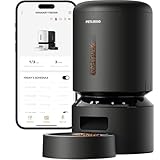
- Smart APP Control: Wi-Fi fully automatic dog feeder is 5GHz and 2.4GHz WiFi-enabled allowing you to program your pet's meals anywhere anytime through the PETLIBRO App on your iOS or Android smartphone.
- Never Miss A Meal: Easily schedule up to 10 meals per day and 1-48 portions per meal (1/12 cup each portion) with the Wi-Fi automatic cat feeder, you can easily customize your furry friend's feeding plan and check the feeding records to ensure your cat has been fed on a set schedule by the APP.
- Personalized Meal Call: Record a voice message for up to 10 seconds that plays for each feeding, and freely set the times the meal call play, so your pet can feel your care even when you're not at home. Not only that, but the thoughtful automatic cat food dispenser provides you with the ability to record up to 10 customized meal calls and adjust the volume to your needs!
- Freshness in Every Bite: Patent rotor in the tank base and twist-lock lid of the automatic pet feeder prevent pets sneaking into the food dispenser for extra food. Built-in desiccant bag and sealing strip keep food fresh and crunchy. Food-grade stainless steel bowl provides healthy and hygienic feeding, saving your pets from chin acne.
- Smart Notifications and Indicators: Your phone receives notifications and the machine’s indicators also lights up red when the food tank of the cat feeder automatic is empty, food gets jammed, the battery is low, or has other problems. The infrared sensor keeps checking and stops food dispensing if the food outlet is blocked.
Which feeder type fits?
| Type | Useful for | Limits to consider |
|---|---|---|
| Fixed-compartment timed tray | A small number of scheduled meals without Wi-Fi | Limited meal count and capacity; check food and cooling suitability |
| Motorized dry-food dispenser | Several scheduled kibble meals and a larger supply in the hopper | Food compatibility, jams, portion variation, and whether the pet can open it |
| Wi-Fi hopper feeder | Remote feeding, alerts, or app-based schedules | App, account, network, and possibly cloud dependencies; notifications do not prove eating |
| Refrigerated wet-food feeder | Advance preparation of multiple wet-food meals | Cost, cleaning, power continuity, meal capacity, and stated cooling conditions |
| Microchip, RFID, or recognition feeder | Restricting access when pets need separate diets | Training, identification requirements, access angles, and whether it works offline |
| Gravity feeder | Pets that self-regulate and do not need scheduled portions | Does not measure or schedule meals; unsuitable for many overeaters |
Single-pet and multi-pet homes
A feeder with two bowls can split food between locations; it does not necessarily stop one pet from eating both servings. If pets have different diets or one steals food, consider separate feeders positioned apart or a selective-access design. Check whether the system identifies a pet with a tag or microchip, whether the other animal can crowd or block it, and whether individual meal records mean food was dispensed, removed, or actually eaten. Selective access is intended to limit food theft, not an absolute guarantee.
SureFeed’s documentation describes a selective-access feeder approach, while Petlibro’s Granary 2 family includes materially different variants marketed for features such as pet recognition, cameras, or multi-pet use. Confirm the exact model and its requirements rather than applying one variant’s features to the entire product family. SureFeed manual; Petlibro Granary 2 range.
Rank #4
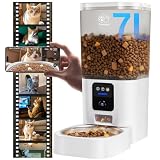
- Go Out of Town Without Worrying : When you are traveling, attending a party or up too late to feed your pet at home, smart automatic cat feeder will regularly schedule your pet's daily food for you. No matter where you are, you can monitor your pet's daily routine and diet, as well as change your feeding schedule online, anytime, anywhere via the mobile app.
- Feeding Schedule ( Regular Diet ) : Setting up a scientific feeding schedule for your pet (up to 15 meals per day, with a maximum of 20 portions per meal) with automatic dog feeder will not only improve your pet's eating habits, but also save pet owners' valuable time (you don't have to constantly think about whether your pet is getting food or not). Not only can you view your pet's feeding history in the app, but you can also view how much food is left in the dog food bowl via the camera.
- Record Wonderful Moments ( Life ) : The Full HD 3 megapixel camera on the cat feeder automatic perfectly records every moment your pet is playing at home. Even when night falls, the infrared sensor in the camera provides clear night vision. It not only supports shooting and recording, but also supports storing data in TF card and cloud storage. (TF card supports up to 128GB) When you turn on motion detection, the APP will remind you when your cat is doing activities.
- Dual-band WiFi : The Frienhund automatic cat feeder with camera supports dual-band WiFi (2.4GHz & 5GHz). Dual-band network lets you don't have to modify your router for channel compatibility issues. Faster 5G networks allow for more stable, crisp video quality.
- Stay Close to Your Pet : “ Two-way Audio ” allows you to talk to your pet in real time. If your cat is sensitive to sound, you can adjust the volume of the feeder through the “Device Volume” in the APP. auto cat feeder supports various terminal logins, in addition to remote control via mobile phone or tablet, you can also log in to the IPC terminal via PC browser to keep your mischievous cat or dog company at all times.
Features worth paying attention to
- Local schedule retention: Find out whether scheduled meals continue without internet or an app connection.
- Power backup: Check whether batteries power the feeder itself or merely back it up, and what functions stop on battery power. Dispensing, Wi-Fi, cameras, alerts, and refrigeration may behave differently.
- Food compatibility and jam resistance: Verify the exact size and shape guidance for your kibble. A motor running is not proof food reached the bowl.
- Stability and pet-proofing: Look for a stable base and a lid your pet cannot pry open. Consider size, strength, and how the animal behaves around food.
- Cleaning and replacement parts: Check which food-contact parts come out, how they must be washed, and whether bowls, seals, trays, or desiccant packs can be replaced.
- Capacity: A large hopper means fewer refills, but capacity depends on kibble and does not guarantee freshness. Food stored longer needs protection from moisture and contamination.
- Connectivity and privacy: Confirm supported Wi-Fi bands, account requirements, offline operation, camera storage, and any subscription terms for the exact model. PetSafe’s Smart Feed, for example, specifies a 2.4 GHz 802.11b/g/n router; other products may differ. PetSafe Smart Feed support.
Wi-Fi can make remote feeding and alerts convenient, but it does not inherently make a feeder more reliable. A smart model adds app, network, account, and service dependencies. A local schedule and tested battery backup may matter more if your priority is feeding through an outage.
Independent reader supportYour contribution helps us test, update, and keep practical guides available for everyone.Set it up and test it before relying on it
- Check compatibility. Confirm the exact food type, kibble dimensions, meal volume, and any cooling requirements against the manual.
- Choose a stable place. Follow the manual’s surface instructions. Petlibro advises placing the cited Granary 2 on a flat, hard, even surface rather than soft carpet. Granary 2 guidance.
- Set the daily ration, then divide it into meals. Do not enter a per-meal amount without checking the total for the day.
- Calibrate the output. Run several meals and weigh the food caught in the bowl.
- Let your pet get used to it. Introduce the bowl and any motor noise while you are home. Observe that the pet approaches and eats.
- Watch multiple complete feeding cycles. Confirm food lands in the bowl, the animal can reach it, and no other pet intercepts the meal.
- Test a power failure. Program a meal, unplug the feeder, and verify whether it dispenses on backup power. Check the portion, then restore power and make sure the clock and schedule are correct. For a refrigerated model, separately consider what happens to cooling during an outage.
- Test offline behavior if it is smart. Determine whether local schedules and manual controls still work when Wi-Fi or the app is unavailable. Do not assume another brand behaves the same way.
- Make a human backup plan. Keep a way to feed manually and arrange for someone to check on the pet during travel.
Common problems and what to check
- Food jams or comes out in the wrong amount: Check kibble dimensions and shape, remove food dust or oil buildup, confirm settings, and weigh another test dispense. Check the manufacturer’s troubleshooting guidance rather than forcing the mechanism.
- The motor runs but the bowl is empty: Inspect the outlet for bridging, verify the bowl is correctly positioned, and check whether food fell behind it. A motor sound alone does not confirm delivery.
- The pet breaks into the hopper or tips the unit: Move it to a stable location, check the lid and base, and reassess whether this design suits that animal. A full hopper can make a break-in more consequential.
- The pet does not eat: Check access, bowl position, food freshness, and whether the device’s noise or location is unsettling. A pet that refuses food may be unwell; do not treat an app’s “dispensed” status as reassurance.
- Wi-Fi or app stops working: Check whether the programmed schedule continues locally and whether manual controls work. Reconnect carefully and confirm no extra meal was queued or delivered.
- Food seems stale or the feeder is dirty: Empty old food before refilling, clean food-contact components as directed, and dry them fully. Keep electronics and power connections dry; do not leave old kibble under fresh food indefinitely.
Feeder manuals matter for operation and safety. PetSafe advises checking operation frequently, and its digital two-meal feeder manual warns against use for pets unable to reach the feeder or younger than six months. Follow the instructions for the exact model and pet. PetSafe digital feeder manual.
What’s actually slowing this PC down?
Pick the symptom - the matching free tool is one click away.
Best Value

- Programmable Feeding Schedule – Set up to 6 meals per day to support your pet’s healthy diet and prevent overeating.
- Portion Control for Cats & Dogs – Each meal adjustable from 1–50 portions (2.5 teaspoons per portion).
- Keep Food Fresh & Dry – Patent rotor, secure twist-lock lid, sealing strip, and included desiccant bag lock in freshness and preserve flavor—say goodbye to stale kibble.
- Dual Power Supply & Battery Backup – USB-C + 3 D-Cell batteries, no worry during power outage, the batteries can last about 30-50 days.
- Personalized Voice Meal Call – Record a 10-sec message to call your pet every mealtime, comforting your pet at mealtime even when you're away.
Cleaning and food storage
Remove food before washing. Clean bowls and removable food-contact parts according to the manual, and let them dry completely before refilling. Keep motors, electronics, and electrical connections dry; clear food dust from the chute; and replace desiccant packs as directed. Some models have dishwasher-safe parts but require other components to be hand-washed, so do not assume the whole feeder is dishwasher-safe. PetSafe cleaning guidance.
Store food according to its packaging and manufacturer’s directions. The FDA recommends keeping identifying information such as the product name, lot number, UPC, manufacturer, and best-by date in case of a defect or recall. FDA pet-food storage guidance.
When a feeder is not enough
A feeder can support a normal routine, but it should not be the sole care plan for an extended trip. Arrange a person to check on the pet, especially if it eats wet food, needs medication, has a health condition, or might not eat reliably. Leave instructions, extra food, and a manual backup; a camera or notification is an additional check, not a caretaker.
Use extra caution for pets that can knock over equipment, break into food, refuse unfamiliar bowls, or need direct observation. If you cannot confirm both delivery and access, choose a sitter, neighbor, or other in-person care arrangement instead.
Recommended Free Tools
Quick Recap
Quick buying checklist
- Is the feeder designed for this pet’s food type and kibble dimensions?
- Can it dispense the required meal size, and have you verified output by weight?
- Does the pet need several meals, slow feeding, or selective access?
- Will scheduled feeding continue without internet and during a power interruption?
- Can the pet reach the bowl, and can another pet steal the meal?
- Are food-contact parts easy to clean and dry? Are replacement parts available?
- Will a person check on the pet if you are away?
Product prices and availability are accurate as of the date/time indicated and are subject to change. Any price and availability information displayed on Amazon at the time of purchase will apply.