The Tool Desk
Outbyte Driver Updater FREEScan for outdated or missing drivers - takes under a minuteDriver Scan →Outbyte PC Repair FREEClear out junk files and repair common Windows errorsFree Scan →There’s no established evidence that dog talking buttons are easier or harder to teach than hand signals. The methods ask dogs to learn different things: a visible gesture paired with an action or outcome, versus a physical button press associated with a recorded word and an outcome. The better fit depends on whether your dog can see the cue, whether an audible request would help, and which method you can model and reinforce consistently.
What does a dog have to learn?
Hand signals
A hand signal is a visual cue paired with a behavior or outcome. Dogs can learn gestures such as cues for “sit” or “come,” but the gesture needs to be consistent and visible to the dog. A hand signal may be less useful when your dog cannot see you.
Talking buttons
A talking button, also called a soundboard button, plays a recorded word when pressed. The dog has to learn to make the physical press and associate it with the word and its relevant outcome. For example, an owner might say “outside,” press that button, and then take the dog out. This is modeling—not evidence that the dog understands language in the human sense. PetMD’s overview of talking dog buttons describes this approach and emphasizes repetition and patience.
Which method is easier to teach?
The available evidence does not establish a winner or provide a comparative timeline or success rate. Hand signals avoid equipment but depend on visibility. Buttons add a physical action and setup, but their recorded word is audible once pressed. Those are practical differences, not proof that one method is universally easier.
#1 Best Overall

- 【30 Second Clear Recording】The Record button allows you to record up to 30 seconds of clear sound. You record other sounds or sound effects. The sound is clear. At the same time you can repeat the different sounds recorded. And it's very portable with its small size. Perfect for families to get together and play games when they go out on picnics and outings. Very practical and fun!
- 【Interactivity】By recording simple words or sentences such as "want to play", "want to eat", "want to drink", "daddy ", "mum", or any other word you want to say. Lead your pet to interact with you. Or have a snatch-and-grab game with a friend. The record button provides more fun in your life.
- 【Easy To Use】Press the 'REC' button and start recording when you hear a beeping sound. Release the 'REC' button when recording is complete and hear 2 beeps to signify the end of recording. Press the button to hear your recorded sound.
- 【A Fun Gifts】This button offers a lot of unexpected entertainment and interaction. This includes interaction with family or colleagues in snatch and grab games, pranks between friends, communication training with pets, and much more. Provides lots of very creative communication and interaction. Also makes a creative birthday/holiday gift to make unforgettable memories!
- 【Package Include】Includes 4 colors of buttons, rose, orange, blue, red. (Note: batteries not included) Note: This product is not recommended for children under 12 years of age.
PetMD reports that Bunny’s owner, Alexis Devine, said Bunny used an “Outside” button consistently within a few weeks of coming home. That is one owner’s experience, not a controlled comparison or a typical training timeline.
What studies say about buttons—and what they don’t
Dogs can respond to some recorded words
A 2024 study tested owner-trained dogs’ responses to food-, play-, and outside-related words presented through speech or a soundboard. Its abstract reports contextually appropriate behavior for play- and outside-related words across speaker identity and presentation mode. The authors conclude that dogs can be taught to associate some recorded words with real-world outcomes. The study did not compare button training with hand-signal training and does not establish that dogs use human-like language. Several authors had consulted for FluentPet, and two were company employees, as disclosed in the PubMed study record.
Rank #2
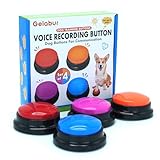
- Dog Communication Buttons: Our talking buttons for dogs make it easy for your pet to express their needs. Use these customizable, recordable buttons to teach your dog to say "Outside," "Treat," or any command you prefer
- Voice Recording Buttons for Classroom: These record buttons for classroom activities are a fun and interactive way to enhance student engagement. Students can record their voices and play them back, adding a dynamic learning experience
- Customizable Sound & Easy to Use: Each of these dog talk buttons allows you to record up to 30 seconds of sound, making them perfect for both dog training and classroom activities
- Dog Training Buttons That Talk: Ideal for pet owners looking to improve communication with their dogs. These training buttons for dogs offer a rewarding way to teach commands through sound association
- Durable & Safe Design: Made from pet-safe materials, these dog training buttons are durable enough to withstand repeated use by both dogs and children in classrooms
Button presses are not all necessarily random—but their meaning remains unsettled
A separate 2024 analysis examined owner-reported data comprising 194,901 soundboard interactions by 152 pet dogs over 21 months, including 56,676 multi-button combinations. The authors found patterns inconsistent with presses being wholly accidental or random and reported population-level associations among some two-button concept pairs. They also note individual variation and unresolved questions about what presses mean to dogs and how well dogs understand button-label associations. This is not evidence that buttons are easier to teach than signals. Read the soundboard-combinations study.
Practical differences at a glance
| Consideration | Hand signals | Talking buttons |
|---|---|---|
| Setup | No button board is needed. | Requires recorded-word buttons or a soundboard positioned for the dog to use. |
| Cue channel | Visual; the dog needs to see the signal. | Audible playback follows a physical press. |
| Learning task | Associate a consistent gesture with a behavior or outcome. | Learn to press a control and associate the recorded label with an outcome. |
| Owner’s role | Give the cue consistently and reinforce the intended response. | Model the press at relevant moments, pair it with the word and outcome, and repeat patiently. |
| Evidence about teaching speed | No direct comparative finding in the reviewed sources. | No direct comparative finding in the reviewed sources. |
How to choose for your dog
- Consider visibility: If your dog may not see a gesture in the situations where you need a cue, a button’s sound may be useful after it is pressed.
- Consider setup and practice: Hand signals need no device. Buttons require an accessible board and consistent modeling; equipment alone does not teach the association.
- Start with the purpose: Choose a cue that fits the behavior or request you want to communicate, rather than expecting either method to make a dog speak.
- Watch your dog’s engagement: The sources do not establish a best method for every dog. Consistency and a clear connection between cue and outcome matter whichever approach you use.
“Talking” is shorthand: a button plays a recorded word when pressed. It should not be taken as proof that a dog speaks English or that every press has a clear communicative meaning.
Quick wins for a faster PC:
Repair Windows errors before they cause bigger problemsFix Now →Scan for outdated or missing drivers - takes under a minuteDriver Scan →Clear out junk files and repair common Windows errorsFree Scan →Quick Recap
Best Value

- Help Your Pet Communicate: Turn everyday words like “outside,” “play,” or “water” into recordable pet talking buttons that help dogs and cats communicate their wants, needs, and daily routines.
- Easy-Press Recordable Buttons: Designed for dogs and cats, each pet communication button requires just 0.5 lb of pressure to activate, with an upward-facing speaker that delivers clear sound during use.
- Non-Slip HexTile Mats: Patented HexTiles securely hold up to 6 dog communication buttons each and help prevent sliding, while the modular design keeps your pet’s growing vocabulary organized and easy to navigate.
- Build & Expand Their Vocabulary: Start with a few talking buttons and add more words over time. Connect additional HexTiles and FluentPet buttons to expand the communication system as your pet learns.
- Complete Pet Communication Kit: Includes pre-installed batteries, 35 ideogram stickers and a Starter Guide, plus access to FluentPet training resources and community support to help you get started.
Rank #4

- 🐾【Dog Buttons For Communication】- Help your pet learn words, you can record commands such as "Open Door", "Play", "Food", "Play", "Yes", "No", etc. to let your pet communicate with you Communication; with a little patience, you can understand your pet's mind. Great for training pets.
- 🐾 【Perfect Set】 - 6 product accessories set, 8 ready-to-use high quality buttons + 24 scene patterns + 1 dog button pad + 12 AAA batteries + 40 double-sided stickers+Training manual. Clear sound, repeatable recording, the perfect gift set for pet toys.
- 🐾【Easy to use】-You just need to press and hold the REC button to use, start recording after hearing a "beep", release the REC button after the recording is complete, you can hear the "beep beep" sound, click the button, You will hear your recorded sound.
- 🐾【Environmental protection material】-The keys are made of ABS plastic, which is natural and environmentally friendly. It is powered by two AAA batteries (Free 16 batteries, no need to buy batteries) and has low power consumption for long-term use.
- 🐾【Quality Assurance】-Your 100% satisfaction is our highest goal, if you find any quality problems during use, please contact us and we will give you a satisfactory answer.
Rank #3

- 【30 Second Clear Recording-Teach Your Dog to Communicate More Clearly】.Wish your dog could tell you when they need to go outside, want water, or are ready to play? Record your own voice with up to 30 seconds of clear playback and help your dog express everyday needs through consistent communication training. Every successful press builds confidence, understanding, and a stronger bond.
- 【Interactivity】By recording simple words or sentences such as "want to play", "want to eat", "want to drink", "daddy ", "mum", or any other word you want to say. Lead your pet to interact with you. Or have a snatch-and-grab game with a friend. The record button provides more fun in your life.
- 【Easy To Use】Never trained with communication buttons before? No problem. Simply press REC, record your word, and reward your dog for every successful press. The intuitive design makes it easy for first-time dog owners to start training with positive reinforcement and build lasting habits step by step.
- 【8 Color Buttons Make Learning Easier】Why settle for only a few commands? This 8-button communication set gives your dog plenty of room to build a growing vocabulary. Assign different words like Outside, Food, Water, Walk, Play, Treat, Bed, and more. Bright colors make each command easy to recognize while keeping training organized and engaging.Note: This product is not recommended for children under 12 years of age.
- 【A Fun Gifts】This button offers a lot of unexpected entertainment and interaction. This includes interaction with family or colleagues in snatch and grab games, pranks between friends, communication training with pets, and much more. Provides lots of very creative communication and interaction. Also makes a creative birthday/holiday gift to make unforgettable memories!
Product prices and availability are accurate as of the date/time indicated and are subject to change. Any price and availability information displayed on Amazon at the time of purchase will apply.




