
Some links on this page are affiliate links: if you buy through them we may earn a commission, at no extra cost to you.
To register to vote in the United States, start at Vote.gov’s state and territory selector, then follow the registration method and document instructions for your jurisdiction. To check an existing record, use the voter-registration-status option on Can I Vote and continue to your state election website. Registration methods, accepted documents, update procedures, and deadlines differ by state or territory, so verify your record early enough to fix a problem before the applicable election deadline.
There is no single national application, deadline, or document list. A state may offer online, mail, or in-person registration, while another may use different combinations or timing rules. Treat the national websites as directories to the authority that controls your record, not as substitutes for that authority’s instructions.
As an Amazon Associate I earn from qualifying purchases.
Quick wins for a faster PC:
Clear out junk files and repair common Windows errorsFree Scan →Scan for outdated or missing drivers - takes under a minuteDriver Scan →Repair Windows errors before they cause bigger problemsFix Now →What do I need before I register?
Have the state or territory where you currently live, the election you want to vote in, and the address associated with your residence ready. Your state’s election page determines eligibility details, accepted identity or residence documents, available registration methods, and the deadline.
- Confirm the state or territory in which you live. Moving across state lines requires registration in the new state.
- Gather the documents your jurisdiction requests. A driver’s license or state ID is commonly used, but those documents are not universal requirements.
- Note the current registration deadline for the specific election. USAGov says some deadlines can be as much as a month before an election.
- Keep a record of any confirmation number, receipt, or mailing date supplied by the state system.
- Use the address where you reside, following the state’s instructions for how it defines and verifies residence.
Do not rely on a national calendar or on another state’s instructions. USAGov’s deadline guidance directs voters to the current rule for their state and election.
Popular on Amazon

- Dog multivitamins chewable for skin & coat : Dog multivitamin is rich in Omega-3 fatty acids and vitamin E,which can relieve skin allergies,dryness,itching and other problems.Multivitamin for dogs nourishes skin follicles.Long-term consumption of dog vitamins multivitamin can make dog hair stronger and smoother,and reduce coat loss.The COQ10 in dog multivitamin chewable can resist oxidation and delay cell aging.Dogs with skin injuries can eat dog vitamins and supplements to promote wound healing
- Dog multivitamin relieves joint inflammation: Dog vitamins for hip and joint can supplement high-quality MSM, glucosamine, and chondroitin sulfate to promote cartilage development and repair. Long-term consumption of dog multivitamins chewable can enhance the elasticity and toughness of joint cartilage, improve joint flexibility, and move more freely. Dog multivitamin chews can reduce joint friction and relieve joint pain. Dog vitamins and supplements can prevent and improve dog joint problems
- Dog multivitamin chews are good for the gut: Vet-endorsed formula dog vitamins and supplements made from natural ingredients.Dog vitamins multivitamin chewables contain a rich blend of probiotics to support intestinal and digestive health.Dog vitamins for small dogs can regulate the balance of intestinal flora,help calcium absorption,and promote bone development.Dog multivitamins chewables improve energy metabolism,converting food into energy, making dogs more energetic in their daily activities
- Dog multivitamin chews protect overall health:Senior dog vitamins and supplements help improve blood circulation and prevent cardiovascular disease.Dog multivitamins chewable support normal liver function,promote liver detoxification,and improve negative mood.For dog with heart problems and older dog,taking dog vitamins and supplements in moderation is an auxiliary health care measure.Dog vitamins multivitamin helps enhance white blood cell activity,improve immunity,prevent infection and disease
- Dog multivitamins chewable promote brain development: The DHA in krill oil in multivitamin for dogs is an important component of the brain and retina. Dog vitamins and supplements can improve dog cognitive ability. When training puppies to learn basic commands, puppies who are properly supplemented with dog vitamins multivitamin will behave more intelligently and improve memory.Dog supplements & vitamins can prevent and relieve eye problems such as dry eyes and tear stains, and keep eyes healthy
If you are unsure which office handles your record, use the state and local election office directory. That office can explain the jurisdiction’s eligibility, documentation, deadline, and correction procedures.
How do I register to vote online?
Online registration is available in some jurisdictions. The official state or territory page reached through Vote.gov is the deciding source. It will show whether an electronic application is available and what information or identification the state requests.
- Open USAGov’s “How to register to vote” page and select your state or territory.
- Choose the online-registration route if the state offers one.
- Enter the requested personal, residence, and identification information exactly as the state form instructs.
- Review the submission for spelling, address, and document errors before sending it.
- Submit through the state portal, not through an unofficial form or general-purpose website.
- Save the confirmation or receipt and check your registration record after the state’s processing period or before the deadline, whichever gives you more time to correct an issue.
Use the same spelling and address consistently. A small typographical error can make a later lookup harder, even when the underlying application was submitted. If the portal gives you a confirmation number, save a screenshot or print a copy for your records.
Vote.gov is a routing service: it directs you to the state or territory that handles registration. It does not itself register you or store your registration record.
Can I register by mail?
Many states accept the National Mail Voter Registration Form, but the state still controls the instructions, signature requirement, deadline, and mailing address. Acceptance of the form is therefore not a promise that every state uses the same fields or timing.
- Use the Vote.gov form-filler and state instructions to identify the correct version and destination.
- Complete the form on screen or by hand as directed.
- If you completed it on screen, print the form.
- Sign it. An unsigned form may not be accepted.
- Review the name, residence address, and any identification information before sealing the envelope.
- Mail it to the address listed for your state, allowing enough delivery time for that state’s deadline.
The form-filler can display state-specific instructions and the correct mailing address. Do not assume that mailing the form to a national office completes registration; the state or territory election authority processes the application.
The Tool Desk
Outbyte Driver Updater FREEScan for outdated or missing drivers - takes under a minuteDriver Scan →Outbyte PC Repair FREERepair Windows errors before they cause bigger problemsFix Now →Keep a copy of the completed form and note the date you mailed it. If the deadline is close, contact the state election office to ask what submission date and delivery method the jurisdiction recognizes. Do not infer that a postmark, receipt, or mailing date has the same legal effect in every state.
Also popular on Amazon

- Joint Health Supplement for Dogs: Cosequin is the #1 vet recommended retail joint health supplement brand, supporting joint health in dogs for over 25 years
- Contains Glucosamine for Dogs: Cosequin contains glucosamine hydrochloride (FCHG49) and sodium chondroitin sulfate (TRH122), plus methylsulfonylmethane (MSM). This unique combination of ingredients supports healthy joints
- For Any Breed or Size: Whether you have a young or senior dog, a small or large breed, Cosequin helps support their joint health
- Tasty Chews for Daily Use: Cosequin comes in a tasty chewable tablet, making daily administration easy and convenient
- Exceptional Quality: Cosequin is backed by science, undergoing thorough quality inspections to ensure your dog receives a safe, high-quality product. It is manufactured in the United States with globally sourced ingredients
Can I register in person?
Some jurisdictions provide an in-person registration route through an election office or another designated location. Vote.gov’s state page identifies whether this method is available and where to go.
Before visiting, check the office’s accepted-document list, hours, address, and deadline instructions. Some locations may accept applications while others only provide information or direct you to another office. Bring the documents the state page identifies, but do not assume that a driver’s license or state ID is mandatory unless the jurisdiction says so.
Ask for a receipt or other proof of submission if the office provides one. After the state has had time to process the application, use the official status lookup to verify the record rather than relying only on a verbal assurance or an unreturned form.
What’s actually slowing this PC down?
Pick the symptom - the matching free tool is one click away.
If the state page does not answer a question, use the state and local election office directory to contact the authority that maintains your record.
What is the difference between online, mail, and in-person registration?
The key difference is not convenience alone; it is what your jurisdiction permits and when the submission is considered complete. Compare each route on five practical points: availability, deadline, accepted identity or residence documentation, whether printing and signing are required, and which office receives the application.
| Route | What to verify | What completion may require | Best record to keep |
|---|---|---|---|
| Online | Whether your state or territory offers online registration, the identity information it accepts, and the submission deadline | Electronic submission and any confirmation shown by the state portal | Confirmation number, receipt, or screenshot |
| Correct form, signature, mailing address, and arrival deadline | Printing, signing, and mailing the form to the state address | Copy of the form and mailing date | |
| In person | Designated location, office hours, documents, and deadline | Submitting the application directly to the authorized office | Receipt or written submission confirmation, if offered |
The official state page is the deciding source for every row. A method available in one state may not be offered, or may follow different timing, in another. If two routes are available, choose the one you can complete accurately before the applicable deadline, not simply the one that appears fastest.
How do eligible U.S. citizens abroad register?
U.S. citizens living outside the country, service members stationed abroad, and eligible family members should use the Federal Voting Assistance Program (FVAP) for registration and absentee-ballot instructions. Their process can differ from the procedure for residents voting from inside a state, so follow FVAP’s guidance for the person’s circumstances and voting jurisdiction.
Outdated Drivers Are Slowing You Down
One free scan finds every outdated or missing driver and matches the right update for your exact hardware.Free scan · exact hardware matchPC Slower Than It Used to Be?
A free scan shows the junk files, broken settings and background clutter dragging Windows down - then fixes them in one click.Free scan · Windows 10 & 11Also popular on Amazon
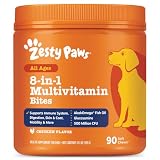
- 8-in-1 Formula - Zesty Paws Multifunctional Bites are functional supplement chews with premium ingredients that support physical performance, antioxidants, hip & joint, heart, immune, skin, liver, & gut health for dogs of all ages, breeds, and sizes.
- Skin Health & Antioxidants – For animals with sensitive skin, this formula contains Cod Liver Fish Oil and Vitamin E to help maintain normal moisture and CoQ10 to help reduce oxidative stress.
- Hip, Joint & Performance Support - Each dog chew features OptiMSM, a premium form of MSM for muscular support, which works synergistically with the Glucosamine HCl and Chondroitin Sulfate in these chews for hip and joint support plus Cod Liver Oil and B-Complex Vitamins support normal physical performance.
- Gut Health & Probiotics - These chews also contain a six-strain Gut Health Blend (500 million cfu per chew) and a Digestive Health Blend to promote gut flora while supporting normal bowel function for dogs.
- Heart, Liver & Immune Health - Multifunctional Bites feature powerful antioxidants, premium CoQ10, Cod Liver Oil and Vitamins A, C, & E to promote healthy cardiovascular function, support liver health and enhance immune response.
Do not combine overseas instructions with a state resident’s ordinary online or mail process unless FVAP directs you to do so. The program can explain the forms and steps that apply to registration and absentee voting for an eligible person abroad.
How do I confirm my voter registration status?
Use the official status lookup reached through Can I Vote, select your state, and continue to the state election website. Check the record well before the deadline rather than waiting for Election Day.
- Open USAGov’s voter-registration-status instructions.
- Select the state where you are registered or believe you registered.
- Follow the link to that state’s election website and complete its lookup fields.
- Review whether the record is listed as active, and confirm your name and address.
- Check the polling place shown for the current residence, since a location can change when residence information changes.
- Compare the displayed information with the confirmation, receipt, or copy of the application you kept.
Party affiliation may not appear in the lookup. Not every state requires voters to declare a party, so an absent party field does not by itself show that registration failed. Focus first on active status, name, residence, and polling place.
Run the lookup again after an update or newly submitted application once the state says its processing period has passed. If the record still does not match what you submitted, contact the election office rather than filing duplicate applications without guidance.
Do these 3 things before closing this tab:
1Clear out junk files and repair common Windows errors2Scan for outdated or missing drivers - takes under a minute3Repair Windows errors before they cause bigger problemsWhat should I do if my record is missing or inactive?
Do not assume that an absent or inactive result can be ignored. Contact the state or local election office promptly through the official election-office directory and follow its instructions.
- No record found: Recheck the state selected, spelling, address, and any other fields the state lookup requires. If the result remains blank, ask the election office whether the application was received, is still processing, or needs to be submitted again.
- Inactive record: Ask the election office what additional step is required. USAGov explains that an inactive record can require extra action; failing to address it may lead to a provisional ballot.
- Conflicting information: Give the state office the details shown by the lookup and the information you believe is correct. The state or local authority, not a general website, controls the official record.
- Wrong polling place: Report the address discrepancy and ask which residence information the office must update. Do not assume that a polling-place listing from a prior election is current.
Election officials can explain the remedy that applies in that jurisdiction. Avoid relying on an informal claim that you can vote without resolving the record. If officials tell you that a provisional ballot is the applicable safeguard, follow their instructions and ask what additional documentation or follow-up is required.
How do I update my registration after moving or changing my name?
USAGov says voters should update their registration after a move or name change. A move across state lines requires a new registration in the new state; an address change within the same state may use a different update route.
Also popular on Amazon
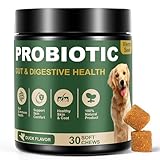
- SYMBIOTIC DIGESTIVE ECOSYSTEM: Our dog probiotics build a 4-way digestive ecosystem: Digestive enzymes pre-break nutrients for easy absorption, while probiotics + prebiotics balance and nourish gut flora. Pumpkin helps dogs with a sensitive stomach maintain regular bowel movements. These layers go beyond ordinary probiotics, turning every meal into steady nourishment, digestive ease, and enduring energy*—so your dog stays balanced and full of life.
- TRIPLE IMMUNE SUPPORT: Gut health drives immunity, and our probiotics for dogs target it. Probiotics help maintain a balanced gut microbiome and support mucosal immunity, while plant antioxidants* (Rosemary & Green Tea) and natural Vitamin E help protect immune cells from daily wear and tear. Formulated for triple immune support - helping your dog stay vibrant and ready for everyday adventures.
- DUAL-ACTION SKIN & COAT NOURISH: True skin and coat health starts from within. Gut and immune support work in sync with Salmon and Flaxseed Oils (Omega-3 & 6) to nourish skin and coat from the inside out. This dual-action care promotes a soft, shiny, and glossy coat you’ll love to touch.
- PURE INGREDIENTS: We believe in complete ingredient integrity. Every batch of our dog probiotic chews is crafted in GMP-certified facilities using trusted, premium sources. They are free from grains, soy, and artificial additives. This commitment to safety and quality ensures a clean formula you can trust for your dog’s overall wellness.
- TASTE DOGS LOVE: Made with natural duck flavor, our probiotic chews are loved by most dogs, even picky eaters. Unlike other hard chews, these soft, easy-to-bite chews are perfect for puppies and senior dogs. They help support digestive comfort, gut balance, and skin & immune health: areas commonly affected by occasional diarrhea, seasonal allergies, itchy skin, or paw licking. A tasty daily chew your dog will love.
- Open USAGov’s update-or-change instructions and select the relevant state or territory.
- Determine whether the jurisdiction accepts an online update, mail form, phone request, in-person request, or a new registration form.
- Use the state’s required name and address format and provide any documents the state identifies.
- Submit the update using the state’s required method and by its stated deadline.
- Run the status lookup again and confirm the updated name, address, active status, and polling place.
Do not keep using an old state record after moving to another state. The new state’s election office must receive and process the new registration. Even within one state, do not assume that forwarding mail or changing an address with another government agency automatically updates voter registration unless the election office says it does.
What is my voter registration deadline?
Every state has its own voter-registration deadline. USAGov states that “Every state has its own voter registration deadline,” and its guidance notes that the deadline can be up to 30 days before the election in some jurisdictions. That “up to 30 days” figure describes the possible lead time; it is not a nationwide deadline.
Look up the deadline for the particular election and state or territory before submitting an application or update. Do not assume that Election Day registration is available everywhere, and do not reuse a date from a previous election. A primary, general election, or special election may have different instructions or dates.
If you are close to the deadline, use the method the state identifies as valid and contact the election office immediately if the website, mailing instructions, or processing status is unclear. The office can tell you whether an online submission, mailed form, or in-person application remains timely under that jurisdiction’s rules.
Independent reader supportYour contribution helps us test, update, and keep practical guides available for everyone.Do I need a voter registration card to vote?
A registration card confirms that the state recorded your registration, but USAGov says you do not need to bring the card to vote. Cards can take a few weeks to arrive.
If the card does not arrive or you lose it, check the official status lookup and contact the state or local election office. Do not treat a missing card as proof that the registration is absent, and do not treat the card alone as a substitute for checking the current polling place or record.
The card also may not reflect a later move or name change. After any update, verify the electronic state record and polling-place information rather than relying on an older card.
Also popular on Amazon

- COMPLETE 26-IN-1 DAILY WELLNESS FORMULA: Our advanced multivitamin for dogs is formulated to help support 26 vital nutritional areas as part of a daily routine. With essential vitamins A, C, D3, and E, these gummies help support the immune system and contribute to overall heart and brain health for dogs of all sizes.
- ADVANCED HIP AND JOINT MOBILITY SUPPORT: Formulated with Glucosamine HCl, Chondroitin, and MSM to help support cartilage health, joint flexibility, and everyday mobility — making them a great daily supplement for large breed dogs and active senior dogs.
- SKIN & COAT SUPPORT: Packed with Norwegian Salmon Oil and Biotin, our dog multivitamin helps nourish skin from within and supports a soft, glossy coat. Omega 3 fatty acids contribute to healthy skin and coat as part of a complete daily nutritional routine.
- PROBIOTICS & DIGESTIVE SUPPORT: Features a Six-Probiotic Blend (500 Million CFU) and Digestive Enzymes to help support gut health, smooth digestion, and nutrient absorption. Cranberry Powder is included as part of this comprehensive daily wellness formula.
- UNBEATABLE VALUE 250 COUNT JAR: Our 250-count jar provides lasting daily support in a delicious chicken flavor. Made in the USA in a GMP-certified facility, our soft chews are grain-free and suitable for puppies, adult, and senior dogs alike.
How do I choose the correct official source?
Use the national pages only as a starting point, then follow the state or territory link they provide. The state or local election office is the authority for your record, accepted documents, deadlines, update method, polling place, and instructions for an inactive or missing record.
When comparing instructions, confirm that the page applies to your state or territory and to the election you plan to vote in. A page for a different jurisdiction, an old election, or a general discussion cannot replace the current official directions.
Free tools Windows power users keep installed
One-click scans. No signup required.
- Not registered: Start at Vote.gov, select your jurisdiction, and complete the available online, mail, or in-person route.
- Already registered: Use Can I Vote’s status option, then review the state record.
- Moved or changed your name: Use the state-specific update process and verify the result again.
- Record missing or inactive: Contact the state or local election office promptly and follow its corrective instructions.
- Living abroad or serving overseas: Use FVAP’s registration and absentee-voting guidance.
- Card lost or delayed: Check the status lookup and ask the election office for help; the card itself is not required to vote.
Checking early is the safest practical step: it leaves time to correct an address, document, signature, or processing problem before the jurisdiction’s deadline.
Common mistakes to avoid
- Using a generic deadline instead of the date listed for your state and election.
- Assuming that every state offers the same online, mail, or in-person options.
- Mailing a form without signing it or without confirming the state’s mailing address.
- Assuming Vote.gov stores your application or that a national office processes the form.
- Failing to update after moving across state lines or changing your name.
- Waiting until Election Day to discover that a record is missing or inactive.
- Assuming that a missing registration card means you are not registered.
How these steps fit together
The practical sequence is simple: identify the correct jurisdiction, use its approved registration or update route, preserve proof of submission, and verify the state record early. If the lookup is unclear, the state or local election office can determine whether the application is pending, whether more information is needed, and what remedy applies. That sequence works across different state systems without assuming that their deadlines, documents, or methods are identical.
Frequently Asked Questions
Can I use the National Mail Voter Registration Form in every state?
It is an available route in many states, but the state-specific instructions control whether and how it is accepted. Use the Vote.gov form-filler to see the required version, signature directions, and mailing address for your jurisdiction.
Why might my voter-registration lookup omit party affiliation?
Not every state requires voters to declare a party, and not every state displays affiliation in its public lookup. An absent party field therefore does not, by itself, mean the registration is invalid.
Recommended Free Tools
What should I do if my record is inactive just before an election?
Contact the state or local election office immediately and ask what corrective step applies in that jurisdiction. An inactive record can require additional action, and leaving it unresolved may result in a provisional ballot.
Do voters living overseas follow the same registration process?
Eligible citizens abroad, overseas service members, and eligible family members should use the Federal Voting Assistance Program for registration and absentee-ballot instructions. Their requirements can differ from those for voters residing inside a state.
Is there one national voter-registration deadline?
No. USAGov says every state has its own deadline, and some deadlines can be up to 30 days before an election. Check the current date for your state or territory and the specific election.
The Bottom Line
Start with Vote.gov, follow your state or territory’s instructions, and verify the resulting record through Can I Vote and the state election website. Check early—especially after a move or name change—and contact the state or local election office whenever a record is missing, inactive, or unclear.





Leave a Reply