An ESP8266 can control a useful automatic feeder for dry kibble, but it is only the controller. A safe build also needs a dependable dispensing mechanism, separate motor power, local scheduling, portion calibration, jam detection, and a pet-resistant, washable enclosure.
For a learning project or supervised convenience feeder, ESP8266 remains practical. For a new feeder intended to operate unattended for years, choose an ESP32 instead: Espressif’s current ESP8266EX datasheet marks the chip “Not Recommended for New Designs.”
What this project can—and cannot—do
This is a Wi‑Fi-enabled dispenser for dry cat or small-dog food. It can schedule meals, accept a local web or MQTT command, and trigger a motorized portion mechanism. It is not automatically a complete veterinary feeding system, and a Wi‑Fi command does not prove that food reached the bowl.
There are four different levels of confirmation:
- Command accepted: the firmware received a request.
- Motor operated: the programmed movement completed.
- Food dispensed: a beam sensor, load cell, or other mechanism confirms delivery.
- Pet ate: normally requires a bowl scale or camera.
Most inexpensive DIY feeders confirm only the first two. Do not use an unvalidated prototype as an animal’s sole food source.
Quick wins for a faster PC:
Scan for outdated or missing drivers - takes under a minuteDriver Scan →Repair Windows errors before they cause bigger problemsFix Now →Fix the driver behind crashes, sound loss and screen glitchesFind Drivers →#1 Best Overall

- 【Smooth feeding, No food blockage】-Have you encountered any issues with the food cardholder not coming out while using the feeder? Are you still troubled by constantly shaking the feeder to let food flow out? Our automatic pet feeder comes with a food distribution system that ensures smooth and even feeding of food into the feeding bowl during the automatic feeding program. The detailed design and comprehensive functionality can free up your hands and time, allowing you to no longer worry about pet feeding.
- 【Custom voice recording】-You can record 10s voice to keep connected with your pets. When the feeding time you set is up, the system will automatically play your recording 3 times to shout for your pet to come and eat. Your voice will keep a close relationship with your pet and also let your pet eat with peace of mind.
- 【Fresh food prioritizes health】-The automatic cat feeder features a finger broadcasting lid opening device at the top to prevent your pet from stealing food. We have designed a desiccant placement box in our food dispenser, the design can completely isolate the air to prevent food from getting damp and moldy. We have included a desiccant to ensure the freshness of pet food.
- 【Ensure smooth feeding】- We have designed a food swinging device in the food dispenser to ensure that food can be smoothly placed into the feeding bowl from getting stuck. The feeding bowl of our automatic cat feeder is designed to tilt 8 degrees to ensure that your pet can eat in a comfortable position.
- 【Two power supply options available】- Use the 5V DC adapter while supplying the automatic cat food dispenser via 3 AA alkaline batteries(not included) installed in case of power outages, to ensure that your cat gets food consistently.
Why use an ESP8266?
The ESP8266 provides 2.4-GHz 802.11 b/g/n Wi‑Fi, a 32-bit Tensilica L106 processor running at up to 160 MHz, GPIO, PWM, ADC, SPI, I²C, UART, station mode, SoftAP mode, and OTA capability. Its Arduino ecosystem and low-cost NodeMCU, Wemos D1 mini, and ESP-12 boards make it suitable for MQTT, HTTP, scheduling, and simple sensors. See Espressif’s ESP8266 product page and datasheet.
Its limitations matter for an unattended appliance: it has less memory and fewer peripherals than an ESP32, supports only 2.4-GHz Wi‑Fi, requires care around boot-strapping pins, and is now an aging platform. Use it when you already own ESP8266 hardware, want a low-cost educational project, or are retrofitting an existing design. Choose ESP32 for a new long-lived design, especially if you need a camera, display, Bluetooth, multiple sensors, or richer local control.
Choose the dispensing mechanism
| Mechanism | Best use | Advantages | Problems |
|---|---|---|---|
| Servo flap or gate | Simple prototype and small portions | Few parts; simple angle-based control | Portions vary with kibble, hopper pressure, and bridging; servos can stall |
| 28BYJ-48 stepper with ULN2003 | Rotating wheel, slot, or indexed gate | Inexpensive and positionable; widely documented | Can miss steps, jam, or suffer from gearbox backlash |
| Auger | Repeated metering from a larger hopper | Works through a tube and can dose gradually | Food can bridge or wedge; the auger must be removable and washable |
| Commercial-feeder retrofit | Reuse of reliable mechanics | May reduce fabrication work | Unknown voltages, proprietary electronics, and possible mains hazards |
A practical reference design uses a 5-V 28BYJ-48 stepper and ULN2003 driver with a rotating wheel or auger. Documented ESP8266 examples include a stepper-based feeder with PIR, button, buzzer, and LED at Smart Solutions for Home, a local-web-interface design on Hackaday, and an auger design at Circuit.rocks.
Core parts
- ESP8266 development board, such as a NodeMCU, Wemos D1 mini, or ESP-12-based board.
- 28BYJ-48 stepper and ULN2003 driver, or a suitably rated servo.
- Certified 5-V power adapter with sufficient current capacity.
- Hopper, dispensing wheel or auger, chute, and removable bowl.
- Manual feed button and status LED or buzzer.
- Optional low-food sensor, optical break-beam sensor, lid switch, RTC, load cell, or PIR sensor.
- Enclosure, strain relief, protected connectors, fasteners, and cable protection.
Specify the voltage, current, connector, and exact board variant when selecting parts. A low-cost motor or 3D-printed component is not automatically suitable for unattended pet use.
The Tool Desk
Outbyte Driver Updater FREEFix the driver behind crashes, sound loss and screen glitchesFind Drivers →Outbyte PC Repair FREERepair Windows errors before they cause bigger problemsFix Now →Rank #2

- Programmable Timed Feeding: The IMIPAW Automatic Cat Feeders helps you create a personalized, healthy feeding schedule for your pet. The 12-hour clock is easy to program and understand. You can set up multiple meals per day, and set up as many servings as your pet needs (1 serving is 7-9 grams)
- Easy to Use & Maintain: IMIPAW Auto Cat Feeder inbuilt LCD screen allows quick setup and press both UP & DOWN together to manually dispense 1 portion; Proper angle so that food will not accumulate in the food outlet, and the cat food tray are removable for cleaning. The secure lid lock design prevents pets from getting food
- Appropriate Capacity food Storage: The 3L/12 cup (1 cup = 16 tbsp) food storage will keep most pets comfortably fed for several days. Contains a desiccant bag to help keep the food fresh and easy to chew. The automatic cat food dispenser easily feeds your cat or puppy during long weekends and short business trips. Keep your pet well-fed, happy, and giving you peace of mind
- Dual Power Supply & Anti-Clogging Design. 5V DC adapter + 3 alkaline D-cell batteries (NOT INCLUDED), our automatic pet feeder for medium and small pets adopted the latest power system to prevent power outages, thus ensuring a constant food supply for your beloved pets
- Satisfaction Guaranteed: We always try to make sure you get the best quality and strive to ensure user comfort and satisfaction. If you have any problems while using this timed cat feeder, please contact us for specific instructions
Electrical design
5-V supply
 ├── ESP8266 board input or regulator
 ├── ULN2003 driver ── 28BYJ-48 stepper
 └── optional sensors

ESP8266
 ├── Wi‑Fi, schedule, and local fallback
 ├── manual button and status indicator
 ├── optional MQTT or web API
└── optional delivery and level sensors- Never drive a motor directly from an ESP8266 GPIO.
- Use a motor supply rail sized for startup and stall current.
- With a conventional driver, connect motor-supply ground and ESP8266 ground.
- Add decoupling near the controller and motor driver, and keep motor wiring away from sensitive sensor wiring where practical.
- The ESP8266EX itself operates at 2.5–3.6 V. A development board may accept 5 V through its onboard regulator, but verify the board’s labeling and documentation.
- Do not casually use GPIO0, GPIO2, or MTDO/GPIO15 for switches or driver signals. These pins affect boot mode or related functions; check the exact board before wiring them.
Illustrative pin allocation
This example assumes a common NodeMCU-style board. D-labels and GPIO numbers are not universal, so verify the pinout before building.
| Function | Example | Note |
|---|---|---|
| Stepper IN1–IN4 | GPIO5, GPIO4, GPIO14, GPIO12 | Verify the driver sequence in firmware |
| Feed button | GPIO13 | Use an appropriate pull-up or pull-down |
| Level or lid sensor | GPIO16 | Check interrupt and boot requirements |
| Status LED | GPIO2 | Often boot-sensitive |
| Analog sensor | A0 | ADC range depends on the development board |
Mechanical design and hygiene
Keep electronics outside the washable food path. Use a removable bowl, smooth surfaces, a lid the pet cannot open, and a chute that can be disassembled without tools where possible. Protect cables from chewing, prevent the feeder from tipping, and eliminate exposed screws, magnets, sharp edges, and pinch points.
Design around the actual kibble. Hopper pressure, food shape, moisture, and surface texture affect bridging and jamming. A cat or dog may shake the hopper, reach into the chute, press a button repeatedly, or trigger a motion sensor. A tamper switch is useful, but it does not replace a mechanically secure enclosure.
3D-printed parts may contain rough surfaces and seams that are difficult to clean. Prefer removable food-contact inserts or containers whose material and finish are appropriate for repeated food contact; do not make unsupported food-safety claims about a particular filament.
Rank #3
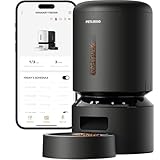
- Smart APP Control: Wi-Fi fully automatic dog feeder is 5GHz and 2.4GHz WiFi-enabled allowing you to program your pet's meals anywhere anytime through the PETLIBRO App on your iOS or Android smartphone.
- Never Miss A Meal: Easily schedule up to 10 meals per day and 1-48 portions per meal (1/12 cup each portion) with the Wi-Fi automatic cat feeder, you can easily customize your furry friend's feeding plan and check the feeding records to ensure your cat has been fed on a set schedule by the APP.
- Personalized Meal Call: Record a voice message for up to 10 seconds that plays for each feeding, and freely set the times the meal call play, so your pet can feel your care even when you're not at home. Not only that, but the thoughtful automatic cat food dispenser provides you with the ability to record up to 10 customized meal calls and adjust the volume to your needs!
- Freshness in Every Bite: Patent rotor in the tank base and twist-lock lid of the automatic pet feeder prevent pets sneaking into the food dispenser for extra food. Built-in desiccant bag and sealing strip keep food fresh and crunchy. Food-grade stainless steel bowl provides healthy and hygienic feeding, saving your pets from chin acne.
- Smart Notifications and Indicators: Your phone receives notifications and the machine’s indicators also lights up red when the food tank of the cat feeder automatic is empty, food gets jammed, the battery is low, or has other problems. The infrared sensor keeps checking and stops food dispensing if the food outlet is blocked.
Firmware architecture
Normal connected mode
Connect to Wi‑Fi, synchronize time, load the schedule, accept authenticated manual commands, publish status, and record the last feed event. A local web interface can operate in access-point or Wi‑Fi-client mode, as demonstrated by the Hackaday slot feeder.
Offline mode
Feeding should not depend entirely on Wi‑Fi, DNS, a cloud service, MQTT, or NTP. Store the schedule persistently and continue locally when the network disappears. For more dependable timekeeping, add a DS3231 RTC. If time validity is unknown, make the device indicate the fault and choose a defined safe policy rather than silently dispensing at an incorrect time.
Recovery mode
After reset, initialize motor outputs safely, reconnect with a timeout, validate the clock, and determine whether a feed was interrupted. Store a unique event identifier and completion state so a brownout or reboot cannot automatically duplicate a meal.
Schedule model
Each event should include hour, minute, enabled state, day-of-week mask, portion target, and a unique identifier. Compare the current time with persistent event state. Otherwise, a reboot or repeated main-loop iteration can run the same scheduled meal twice. Explicitly define whether schedules use local time or UTC and test daylight-saving transitions in the region where the feeder will operate.
PC Slower Than It Used to Be?
A free scan shows the junk files, broken settings and background clutter dragging Windows down - then fixes them in one click.Free scan · Windows 10 & 11Crashes, No Sound, or Screen Glitches?
Random freezes, missing sound and display glitches usually trace back to one bad driver. Find and replace yours safely.Free scan · under a minuteRank #4
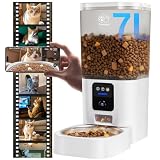
- Go Out of Town Without Worrying : When you are traveling, attending a party or up too late to feed your pet at home, smart automatic cat feeder will regularly schedule your pet's daily food for you. No matter where you are, you can monitor your pet's daily routine and diet, as well as change your feeding schedule online, anytime, anywhere via the mobile app.
- Feeding Schedule ( Regular Diet ) : Setting up a scientific feeding schedule for your pet (up to 15 meals per day, with a maximum of 20 portions per meal) with automatic dog feeder will not only improve your pet's eating habits, but also save pet owners' valuable time (you don't have to constantly think about whether your pet is getting food or not). Not only can you view your pet's feeding history in the app, but you can also view how much food is left in the dog food bowl via the camera.
- Record Wonderful Moments ( Life ) : The Full HD 3 megapixel camera on the cat feeder automatic perfectly records every moment your pet is playing at home. Even when night falls, the infrared sensor in the camera provides clear night vision. It not only supports shooting and recording, but also supports storing data in TF card and cloud storage. (TF card supports up to 128GB) When you turn on motion detection, the APP will remind you when your cat is doing activities.
- Dual-band WiFi : The Frienhund automatic cat feeder with camera supports dual-band WiFi (2.4GHz & 5GHz). Dual-band network lets you don't have to modify your router for channel compatibility issues. Faster 5G networks allow for more stable, crisp video quality.
- Stay Close to Your Pet : “ Two-way Audio ” allows you to talk to your pet in real time. If your cat is sensitive to sound, you can adjust the volume of the feeder through the “Device Volume” in the APP. auto cat feeder supports various terminal logins, in addition to remote control via mobile phone or tablet, you can also log in to the IPC terminal via PC browser to keep your mischievous cat or dog company at all times.
MQTT and remote control
A documented ESP8266 feeder uses a JSON scoop count and success/failure topics such as petfeeder/feed, petfeeder/feed/success, and petfeeder/feed/fail; see this MQTT implementation.
Improve the basic pattern with an idempotent event ID:
{
  "event_id": "2026-08-18T18:00:00Z-001",
  "portions": 1,
  "source": "schedule"
}
Publish whether the motor completed and, if available, whether food was detected:
{
  "event_id": "2026-08-18T18:00:00Z-001",
  "result": "completed",
  "motor_steps": 512,
  "food_detected": true,
  "timestamp": "2026-08-18T18:00:04Z"
}
Use authentication, authorization, rate limits, unique event IDs, and TLS where practical. Do not expose an unauthenticated feeder port directly to the internet. OTA updates provide an update mechanism, not complete security.
What’s actually slowing this PC down?
Pick the symptom - the matching free tool is one click away.
Best Value

- Programmable Feeding Schedule – Set up to 6 meals per day to support your pet’s healthy diet and prevent overeating.
- Portion Control for Cats & Dogs – Each meal adjustable from 1–50 portions (2.5 teaspoons per portion).
- Keep Food Fresh & Dry – Patent rotor, secure twist-lock lid, sealing strip, and included desiccant bag lock in freshness and preserve flavor—say goodbye to stale kibble.
- Dual Power Supply & Battery Backup – USB-C + 3 D-Cell batteries, no worry during power outage, the batteries can last about 30-50 days.
- Personalized Voice Meal Call – Record a 10-sec message to call your pet every mealtime, comforting your pet at mealtime even when you're away.
Calibrate portions by weight
Motor time, step count, or a “scoop” is not a universal mass. Output changes with kibble size, hopper fill level, auger geometry, friction, supply voltage, and bridging.
- Fill the hopper to the normal operating level.
- Run a fixed number of steps or one complete mechanism cycle.
- Weigh the output with a kitchen scale.
- Repeat at least 10 times and record the mean and range.
- Repeat with a nearly full and nearly empty hopper.
- Use the actual food brand and size.
- Set a conservative target below the maximum observed dose.
- Recalibrate after changing food, motor speed, mechanism, or hopper.
A load cell under the bowl or hopper can confirm delivery rather than merely motor movement, but it requires mechanical isolation, an HX711 amplifier, calibration, and drift checks. A documented project mentions load-cell sensing and Telegram alerts, but those features should be treated as creator-reported implementation details rather than a guarantee of accuracy; see the project page.
Sensors: what they actually prove
- Optical break-beam: detects food passing through a chute, but dust and multiple pieces can create false readings.
- Load cell: can measure delivered or remaining food, provided it is isolated from the enclosure and calibrated.
- PIR: detects motion near the feeder, not hunger or the identity of the pet. A documented ESP8266 design uses PIR for presence-related interaction; see Hackster.
- Lid or tamper switch: detects opening or movement, but cannot replace a secure lid.
- Motor-home sensor: confirms mechanism position and helps recover from missed steps.
Failure handling
| Failure | Required behavior |
|---|---|
| Wi‑Fi or MQTT outage | Continue the local schedule if time is valid; show offline status and retry with backoff |
| NTP unavailable | Use a valid RTC or mark time invalid; do not silently feed at an unknown time |
| Power interruption | Persist event state and define whether a missed meal is skipped, retried, or reported |
| Motor stall or jam | Stop after a timeout, report a fault, and require a deliberate retry |
| Food bridge or empty hopper | Use a chute sensor, level sensor, load cell, or inspection alert |
| Repeated command | Use event IDs, authorization, and per-hour and per-day feed limits |
| Sensor stuck high or low | Apply timeouts and plausibility checks instead of trusting one reading forever |
| Pet tampering | Latch the lid, protect cables, resist tipping, and record tamper events |
Testing before relying on it
Run a prudent supervised validation program using the actual food, hopper, bowl, and enclosure. A useful target is 50–100 observed feed cycles—not proof of safety, but enough to expose many mechanical and firmware problems.
- Disconnect Wi‑Fi, the broker, DNS, and internet access separately.
- Interrupt power during idle, motor movement, and after a command is accepted.
- Test an empty hopper, a blocked chute, and a partially jammed mechanism.
- Send duplicate and malformed HTTP or MQTT commands.
- Press the manual button repeatedly.
- Test wrong-time and daylight-saving behavior.
- Check portion mass at full and nearly empty hopper levels.
- Reassemble the washable food path repeatedly and inspect for leaks or contamination.
- Observe how the pet interacts with the lid, bowl, button, chute, and cables.
Until these tests are complete, maintain a manual feeding backup and inspect every meal.
Free tools Windows power users keep installed
One-click scans. No signup required.
ESP8266, ESP32, or a commercial feeder?
| Choice | Use it when | Trade-off |
|---|---|---|
| ESP8266 DIY | You want low-cost learning, MQTT, local control, or compatibility with existing hardware | Older platform, limited resources, and more responsibility for reliability |
| ESP32 DIY | You are starting a new design or need more GPIO, Bluetooth, a camera, display, or sensors | Usually more capability and complexity than required for a basic feeder |
| Raspberry Pi | You need video, computer vision, databases, or a rich dashboard | Higher power use and more complex recovery after power loss |
| Commercial smart feeder | You need dependable deployment now rather than an electronics project | Less customization and possible cloud or app dependence |
| Non-networked timer feeder | You value simple local operation and do not need remote control | No remote alerts or on-demand feeding |
For a classroom project, an ESP8266 educational board such as the ELECFREAKS IoT:bit may be useful, but it is designed around the micro:bit ecosystem rather than as a direct standalone Arduino-style feeder controller. Its listed price and availability can change.
The sensible recommendation is straightforward: use ESP8266 for an existing or supervised maker build, use ESP32 for a new feature-rich design, and buy a commercial feeder when dependable unattended feeding matters more than customization. In every case, treat local fallback, mechanical safety, calibrated portions, and explicit failure handling as essential—not optional extras.
Quick Recap
Product prices and availability are accurate as of the date/time indicated and are subject to change. Any price and availability information displayed on Amazon at the time of purchase will apply.