
Do these 3 things before closing this tab:
1Fix the driver behind crashes, sound loss and screen glitches2Repair Windows errors before they cause bigger problems3Scan for outdated or missing drivers - takes under a minuteA social media volunteer’s “day” is usually a defined work session, not a standard nine-to-five shift. You might spend one short weekly block preparing approved posts, make several brief check-ins during an adoption campaign, attend an event to gather photos, or monitor messages under a staff member’s direction. The schedule, authority and workload belong to the organization’s role description—not to a universal volunteer formula.
For an animal shelter, rescue or advocacy group, the work typically moves from priorities to content, approval, publishing, conversation monitoring and a short handoff. The most important part is knowing what you may publish or answer, what requires approval, and what must go straight to staff.
As an Amazon Associate I earn from qualifying purchases.
What does a social media volunteer do in a typical work session?
The sequence below describes a representative session assembled from volunteer role listings. Your organization may combine steps, omit analytics or add event coverage. A staff contact should explain the local version during onboarding.
1. Check the organization’s priorities
Begin with the staff contact’s current priorities: upcoming programs, events, awareness dates, service changes and messages that have already been approved. In the Sooke Transition House Society (STHS) listing, the volunteer works from priorities supplied by the Executive Director and submits drafts for review. An animal-welfare organization may similarly give you an adoption event, foster appeal or policy update to cover, but the point is to start from its confirmed priorities rather than inventing a campaign.
#1 Best Overall

- This All The Cool People Are Volunteering At The Animal Shelter design celebrates rescue-minded animal lovers who show up for pets that need care.
- For shelter shifts adoption events and community service days it connects with rescue volunteers dog lovers pet advocates and animal welfare supporters who care deeply every week.
- Lightweight, Classic fit, Double-needle sleeve and bottom hem
Ask which facts are final, which dates may change, who owns approvals and whether any post has a required call to action. If an event, animal, client or partner is mentioned, confirm the spelling, timing and permissions before you design anything.
2. Plan a manageable batch
Turn the priorities into a short list of posts for the platforms you have been assigned. One volunteer may prepare a monthly batch; another may create only a few posts for several platforms. Decide what can be adapted between channels and what needs a different format, length or image. Reusing approved information reduces errors, but do not copy a caption blindly if the platform or audience requires a change.
A simple plan records the subject, intended audience, draft caption, visual, destination link if the organization supplies one, approval status and proposed publication date. It also prevents a common failure: spending the whole session making one attractive graphic while an urgent service update remains unpublished.
Free tools Windows power users keep installed
One-click scans. No signup required.
3. Draft captions and visuals
Write in the organization’s established voice and follow its content and privacy guidance. Draft the clearest version first: what is happening, when and where, who it is for, and what action the reader should take. Avoid promising a service, outcome or response time that staff have not confirmed.
Create or adapt visuals only from approved assets. A role listing names Canva as a workflow tool; the STHS listing says Canva Pro access is provided there. That access is an example of an organization-specific arrangement, not a requirement for every volunteer. Some teams supply finished images, templates or a shared asset folder instead.
Rank #2

- Animal Rescue Volunteer design. This animal shelter volunteer design sets everyone who loves to save animals up for style success.
- Animal Shelter Volunteer Tshirt For Dog Rescue Supporter.
- Lightweight, Classic fit, Double-needle sleeve and bottom hem
4. Submit drafts and make edits
Where review is required, send the caption and visual to the designated staff contact before scheduling. Include the intended platform and date so the reviewer can assess the complete post. Make requested edits rather than treating approval as optional. If a fact is uncertain, pause and ask; guessing is faster than checking only until the correction has to be made publicly.
5. Schedule or publish approved content
After approval, schedule or publish through the access method the organization gives you. Meta Business Suite appears in one listing as a workflow tool, but platforms, permissions and scheduling tools vary. Check the final preview on mobile, confirm the correct account, review tags and links, and verify that the scheduled time uses the organization’s time zone.
Recommended Free Tools
6. Check comments and direct messages within your authority
Conversation monitoring is where roles diverge most. Some volunteers may acknowledge routine comments or answer limited service questions; others are instructed to flag every inquiry. The STHS listing states: “The volunteer does not provide direct responses to inquiries.” By contrast, an American Red Cross listing assigns volunteers some service-related responses.
Read the organization’s escalation instructions before replying. A safe response can be a brief acknowledgment and a handoff to the correct staff channel, if that is permitted. Never promise confidentiality in a public thread, request sensitive personal details in comments, or improvise advice about an animal’s medical, behavioral or safety situation.
7. Record the handoff
Leave a concise record of what was published, what is awaiting approval, which messages were escalated and what follow-up is needed. Some roles optionally track reach, engagement, clicks or follower growth and provide a short summary. Analytics are not required in every volunteer position, so confirm whether the team wants numbers, observations or simply a completion note.
Rank #3

- Animal Shelter Volunteer design that reads: Volunteer.
- Perfect for proud animal shelter volunteers. Ideal for showing commitment to animal welfare. Great for wearing at the shelter or community events to inspire others to volunteer.
- Lightweight, Classic fit, Double-needle sleeve and bottom hem
How much time does the role take?
Published listings show a wide range, and none is a sector-wide average. The figures below describe individual opportunities; the publication year was not shown in the cited search results for the first three entries.
Quick wins for a faster PC:
Scan for outdated or missing drivers - takes under a minuteDriver Scan →Clear out junk files and repair common Windows errorsFree Scan →| Listing | Stated commitment | What the figure means |
|---|---|---|
| WorkInNonProfits.ca volunteer listing | 3–5 hours per week | An example weekly commitment for that specific role |
| Points of Light Engage volunteer listing | 4–6 hours per month | A light monthly cadence for that specific opportunity |
| Reach Volunteering role description | 1 hour per week | A short recurring session for that specific role |
Hours rise when you create content from scratch, cover several platforms, attend events, wait for multiple approvals, monitor messages frequently or prepare reports. They may stay low when staff provide the copy and images, you publish a small batch and another person handles community responses. Ask whether the commitment is a fixed block, a flexible total or a series of response windows; those arrangements feel very different even when the monthly total is similar.
Which responsibilities are included—and which are not?
Listings from STHS, Just Add Creative, Living River Foundation, WorkInNonProfits.ca, Points of Light Engage, Reach Volunteering and the American Red Cross show that “social media volunteer” can describe several different jobs. Compare the role on each dimension before accepting it.
| Dimension | Possible assignment | Question to settle during onboarding |
|---|---|---|
| Content source | Publish supplied, approved material; edit existing copy; or generate captions and visuals yourself | Who provides facts, photos, templates and final wording? |
| Platforms | One account, several networks or a platform-specific channel | Which accounts am I responsible for, and who controls access? |
| Events | No attendance; occasional photography; or live posting from events | Do I need to attend, and are transport, consent and image rules covered? |
| Approval | Every post reviewed; campaign-level review; or delegated publishing of approved templates | Who gives final approval, and how long should review take? |
| Conversation authority | Flag all inquiries; answer routine comments; or handle specified service responses | What may I answer, and what must I escalate immediately? |
| Analytics | No reporting; an occasional summary; or regular tracking of reach, engagement, clicks or follower growth | Which measures matter and how often should I report them? |
| Strategy | Implement an existing plan or help develop campaigns | Am I executing priorities or expected to set them? |
Drafting, editing, visual creation, scheduling or publishing, a consistent mission-aligned voice and engagement monitoring are common. Event photography, campaign strategy, answering questions and analytics are role-specific rather than automatic parts of the title.
How to handle accessibility, privacy and sensitive stories
Make posts usable without sound or visual context
One role description calls for alt text, captions and plain-language descriptions. Treat these as strong practices even when your organization’s checklist uses different wording. Describe what matters in an image, caption video dialogue and sound cues, and avoid relying on color or text embedded in a graphic alone. Plain language helps people understand an adoption update, event instruction or service change quickly.
Rank #4
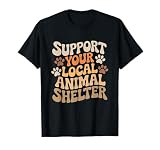
- This design says "Support Your Local Animal Shelter".
- With this design you have the ideal graphic for animal lover.
- Lightweight, Classic fit, Double-needle sleeve and bottom hem
Use consent-based media
Before posting a photo, quote or participant story, confirm that the organization has permission for public sharing and that the permission covers the channel and intended use. A photo taken at an event is not automatically cleared for publication. Keep identifiable client information out of posts and follow the organization’s confidentiality policy. For animal organizations, that may also mean checking whether a location, intake detail or case history could identify a person even if the animal’s name seems harmless.
Keep communication trauma-informed, culturally safe and inclusive
The STHS listing specifically asks for trauma-informed, culturally safe and inclusive communication. Apply that mindset without turning a volunteer account into a counseling or crisis service. Use respectful descriptions, avoid sensational “before and after” framing, and let staff approve language about abuse, displacement, loss or other sensitive experiences.
What should be escalated instead of answered?
Escalation protects the public, the organization and you. Route harmful comments, personal disclosures, service requests, threats, safety concerns and questions outside your written authority according to the organization’s process. Do not improvise crisis support, medical guidance, legal advice or promises about an individual case.
The STHS example excludes crisis response and client communication from the volunteer role and directs the volunteer to flag sensitive or complex exchanges. If your instructions are less specific, ask the staff contact to define an escalation path: which inbox or phone number to use, what information to capture, what response (if any) is allowed and what to do outside office hours.
What’s actually slowing this PC down?
Pick the symptom - the matching free tool is one click away.
A practical session plan for a short weekly shift
If you have only an hour, use the organization’s priorities to triage rather than trying to do every possible task.
Best Value

- Animal Rescue Volunteer design. Animal Shelter Volunteer design that reads: Volunteer.
- Perfect for proud animal shelter volunteers. Ideal for showing commitment to animal welfare. Great for wearing at the shelter or community events to inspire others to volunteer.
- Lightweight, Classic fit, Double-needle sleeve and bottom hem
- Review the brief. Confirm the approved priorities, deadlines, platforms and any changed facts.
- Check the queue. Look for posts awaiting approval and messages or comments that need staff attention.
- Prepare the highest-priority content. Draft the caption, adapt an approved visual and add accessibility details.
- Send for review. Mark anything uncertain and wait for the designated approver when required.
- Publish only cleared material. Verify account, date, links, tags and final preview before scheduling.
- Escalate and document. Forward sensitive conversations through the approved channel and leave a brief status note.
A longer monthly session can batch several approved posts, while an event-based role may replace batch creation with photography and live updates. The order still matters: priorities and permissions come before polish.
Tools, access and account security
Use the tools the organization supports. Canva and Meta Business Suite are named in listings as examples, not universal requirements. You may instead receive templates, a shared drive, native platform scheduling or a communications calendar. Do not create personal workarounds that leave organizational content or passwords outside approved systems.
- Use an individual account or delegated permission when the organization provides one; do not share a personal password.
- Store drafts and approved assets where the team can retrieve them.
- Remove access promptly when the role ends or your assignment changes.
- Keep private client, adopter, donor or volunteer information out of personal notes and screenshots.
- Ask who owns photographs, templates and account content created during the assignment.
These controls are operational details, but they determine whether another staff member can continue the work when you are unavailable.
Questions to ask before accepting a volunteer role
- What is the expected cadence: a weekly block, a monthly batch, event coverage or several monitoring windows?
- How many platforms and accounts are included?
- Will staff provide the content, or am I expected to research, write and design it?
- Who approves posts, and what is the normal turnaround?
- May I reply to routine comments or service questions? Which subjects are always escalated?
- Are event attendance, photography, video or live posting part of the commitment?
- What accessibility, privacy, consent and confidentiality rules apply?
- What tools and account permissions will I receive?
- Are reach, engagement, clicks or follower growth tracked, and how often?
- What happens when a harmful comment, crisis disclosure or urgent safety concern arrives?
Get the answers in writing. A clear boundary is more useful than a flattering title, especially when the account serves people who may be asking for help.
What a good handoff looks like
At the end of the session, the staff contact should be able to see what went live, what is scheduled, what still needs approval and which conversations require action. Include links or post names only in the organization’s approved system, note the reason for each escalation and avoid copying sensitive details into a broad team channel.
Whether the role takes one hour a week or five hours, reliability comes from following the agreed process: publish accurate, accessible content; respond only within your authority; protect privacy; and make the next person’s work easy to continue.
Quick Recap
Product prices and availability are accurate as of the date/time indicated and are subject to change. Any price and availability information displayed on Amazon at the time of purchase will apply.





Leave a Reply