
The Tool Desk
Outbyte PC Repair FREEClear out junk files and repair common Windows errorsFree Scan →Outbyte Driver Updater FREEFix the driver behind crashes, sound loss and screen glitchesFind Drivers →Some links on this page are affiliate links: if you buy through them we may earn a commission, at no extra cost to you.
Start at 1/250–1/500 second, the widest practical aperture (usually f/1.8–f/2.8), and Auto ISO or ISO 1600–3200. Use continuous autofocus with animal-eye detection, a short burst, and soft light from a large window or a diffused continuous panel. If the kitten is blurred, raise shutter speed before changing anything else.
These are starting points, not guarantees. A kitten’s speed, room brightness, lens, sensor and autofocus implementation determine the final combination. The aim is to preserve enough shutter speed for movement while allowing enough depth of field for both eyes.
As an Amazon Associate I earn from qualifying purchases.
Quick-start settings for common indoor situations
Choose the row closest to your room and the kitten’s behavior, then check a test burst at 100% magnification. Keep the shutter speed at or above the listed value whenever the kitten is moving.
| Situation | Shutter speed | Aperture | ISO | Why it works |
|---|---|---|---|---|
| Bright window and playful movement | 1/500 s | f/2.8–f/4 | Auto ISO | Fast enough for running and pouncing; stopping down slightly gives more depth of field when light allows. |
| Average living room | 1/320 s | f/2–f/2.8 | ISO 1600–3200 | A practical balance for ordinary indoor movement and limited light. |
| Dim evening room | 1/250 s minimum | Widest available aperture | Auto ISO, capped at your acceptable noise level | Maintains a usable motion threshold; add diffused continuous light if ISO becomes excessive. |
| Brief portrait pause | 1/200–1/250 s | f/2.8–f/4 | As low as the light permits | A little more depth of field helps keep the face sharp when the kitten pauses. |
Tamron’s 2025 guidance places calmer indoor pet movement around 1/250–1/500 second. Digital Camera World advises keeping pet movement around 1/200 second or faster. Treat both as recommendations, not measured success rates; a sprinting kitten can require 1/500 second or more.
Popular on Amazon

- 50 millimeter focal length and maximum aperture of f/1.8
- Great for portraits, action, and nighttime photography; Angle of view (horizontal, vertical, diagonal): 40º, 27º,46º
- Minimum focusing distance of 1.15 feet (0.35 meter) and a maximum magnification of 0.21x
- Stepping motor (STM) delivers near silent, continuous move Servo AF for movies and smooth AF for stills
- 80 millimetre effective focal length on APS C cameras, 50 millimetre on full frame cameras. Lens construction: 6 elements in 5 groups
How the exposure triangle affects a moving kitten
Shutter speed: freeze movement first
Shutter speed controls how long the sensor records motion. At 1/125 second, a kitten turning its head, batting a toy or jumping onto furniture can leave a soft face even when autofocus is correct. Starting around 1/250 second is safer for a relatively calm kitten; 1/320–1/500 second is more dependable for play, running and pouncing. If ears, paws or the eyes still show directional blur, move to 1/640 or 1/800 second rather than lowering the speed to protect ISO.
A faster shutter reduces the light reaching the sensor, so the camera must compensate with a wider aperture, higher ISO or additional light. Nikon summarizes the relationship this way: “The three things that control a photograph’s exposure are shutter speed, lens aperture and ISO.” For active kittens, motion sharpness normally deserves priority over a perfectly clean file.
What’s actually slowing this PC down?
Pick the symptom - the matching free tool is one click away.
Aperture: gather light, then protect depth of field
A low f-number admits more light and lets you keep a faster shutter in a dim interior. A fast prime at f/1.8–f/2.8 can therefore be more useful than a slower kit zoom. The wide aperture also softens a distracting background, which helps a kitten stand out against furniture.
The trade-off is depth of field. At f/1.8, the nearest eye may be sharp while the farther eye or nose is soft, especially when you are close to the kitten. If only one eye is consistently in focus, or the face is angled, stop down toward f/3.2–f/4.5 and raise ISO or add light to preserve shutter speed. Do not select the lowest available f-number automatically; use the widest setting that still gives the amount of the face you need in focus.
Also popular on Amazon

- Compact, Lightweight Fixed 50 millimeter Focal Length Lens.
- Large F, 1.8 Aperture for Low-Light Photography and Creative Background Blur
- A Stepping Motor (Gear-Type STM) Provides Smooth and Quiet Continuous AF During Video Recording, As Well As When Shooting Photos
- Control Ring for Direct Setting Changes
- Optimized Lens Placement and Coatings Help Deliver Outstanding Color Balance, While Minimizing Ghosting and Flare
ISO: accept controlled noise instead of blur
ISO 1600–3200 is a normal starting range for indoor action. Nikon’s official guidance cites those sensitivities for dim indoor movement, and Nikon School notes that ISO 1600 or above may be necessary indoors. Auto ISO is useful when the camera offers a minimum shutter-speed limit: set that limit to at least 1/250 second, or 1/500 second for very lively play, and let the camera vary ISO as the kitten crosses brighter and darker areas.
Set an upper ISO limit based on your camera’s noise performance and the final use of the images. A slightly grainy file can usually be edited; motion blur cannot be removed reliably. Recheck the histogram or highlight warning after changing ISO, because a bright patch of fur near a window can clip before the darker room looks properly exposed.
Set up the camera step by step
- Choose a movement target. Watch the kitten for a minute. If it is stalking slowly, begin near 1/250 second. For chasing, jumping or rapid turns, begin at 1/500 second.
- Select an exposure mode. Shutter priority is a practical starting point because it protects the motion-freezing speed while the camera selects aperture. Manual exposure with Auto ISO gives more consistent results when the background changes, provided your camera supports a minimum shutter-speed or ISO range.
- Set the shutter speed. Dial in 1/250–1/500 second. Increase it if paws or the face remain blurred; do not trade away the speed merely to keep ISO low.
- Open the aperture. Start around f/1.8–f/2.8 with a fast lens. If one eye is sharp and the other is not, move toward f/3.2–f/4.5 and compensate with ISO or light.
- Configure ISO. Use Auto ISO with a minimum shutter-speed setting when available. Otherwise begin at ISO 1600–3200 and raise it until the selected shutter speed is maintained in the darkest part of the room.
- Enable continuous focus. Choose AF-C, Servo AF or the equivalent continuous autofocus mode rather than single-shot AF. Turn on animal-eye detection if the camera offers it, and select a tracking area that stays on the kitten instead of an expansive area that can jump to the background.
- Choose a drive mode. Use continuous low or high shooting and make short bursts of several frames. Hold the camera steady, keep tracking through the burst, and retain the frame with the sharpest eye rather than assuming the first frame is best.
- Make a test burst. Zoom into the eyes on the rear screen. If the eyes are sharp but paws blur, raise shutter speed. If the whole frame is dark, increase ISO, open the aperture or add light. If the eyes are soft while the body is sharp, adjust eye-detection and tracking-area settings before changing exposure.
Keep the eyes in focus
Use animal-eye detection when it is reliable
Animal-eye AF can identify a kitten’s eye and continue tracking it as the head turns. Sony documents animal Eye AF and repeated shooting for pets. Activate the feature, then test it with your particular kitten and background: dark fur against a patterned sofa, whiskers crossing the eye or a profile view can cause the system to lose its target.
If eye detection repeatedly jumps away, reduce the tracking area, place a flexible single point over the nearer eye, or use a small zone that you can keep on the head. Continuous autofocus is still important even when eye detection is enabled because the kitten changes distance between frames.
Also popular on Amazon
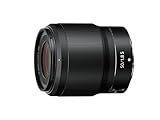
- Fast 50mm prime for Z Mirrorless cameras
- Uncanny f/1.8 performance, extreme sharpness and virtually zero distortion
- New ultra-quiet stepping motor for silent focusing
- Beautiful bokeh and superior Low-light performance
- 5-Axis Dual detect optical VR powered by Z cameras
Give autofocus a clean target
Focus on the nearer eye whenever the head is angled. Keep the focus area off bright window frames, table legs and high-contrast toys that can attract the system. A helper can hold a quiet wand toy or a small food reward just outside the frame; the kitten’s attention creates useful eye-level moments while the photographer maintains the tracking point.
Light a room without startling the kitten
Use a large window first
Place the kitten near a bright window with the light coming from the side or slightly forward. A large source produces softer shadows and catchlights in the eyes. Turn the kitten so the window illuminates the face rather than leaving the eyes in a backlit silhouette. Watch for direct sun on white fur, which can clip highlights even when the rest of the room is dim.
Add diffused continuous light when needed
A diffused continuous LED panel can lift the room’s level without forcing the camera to use an extreme ISO. Position it high enough and far enough away that the kitten is not staring directly into it, and secure the stand and cable. Continuous light lets you see the direction and intensity before shooting, but the kitten should be able to move away from the illuminated area.
Use flash cautiously
Bright flash can alarm a timid young animal. Prefer window light or diffused continuous light when practical, and check venue rules before using flash in places such as cat cafés. If flash is permitted and the kitten remains relaxed, bounce or diffuse it rather than firing a harsh direct burst toward the face. Stop immediately if the kitten flinches, hides or shows other signs of stress.
Also popular on Amazon
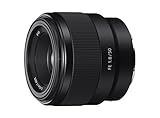
- Large F1. 8 maximum aperture enables beautiful defocusing effects
- 7-blade circular aperture creates beautiful defocused bokeh
- Compact, lightweight design Ideal for full-frame e-mount cameras
- Aspherical element controls spherical aberration and coma
- Double-gauss configuration suppresses field curvature & distortion
Lens choice, distance and viewpoint
Fast primes help in dark rooms
A 50mm f/1.8 prime, with the correct mount for your camera, is a defensible starting option for indoor kitten photography because the low f-number admits more light and can preserve a faster shutter. On a crop-sensor camera, its field of view is narrower than on a full-frame camera, so you may need to step back. Check the mount before buying; a lens designed for one system is not automatically compatible with another.
A kit zoom is more flexible for framing but often has a smaller maximum aperture as you zoom in. In a dim room, that can force a higher ISO or slower shutter than a fast prime. If you use the zoom, stay near its widest aperture and move your feet when possible rather than zooming into a darker focal-length range.
PC Slower Than It Used to Be?
A free scan shows the junk files, broken settings and background clutter dragging Windows down - then fixes them in one click.Free scan · Windows 10 & 11Crashes, No Sound, or Screen Glitches?
Random freezes, missing sound and display glitches usually trace back to one bad driver. Find and replace yours safely.Free scan · under a minuteShoot from the kitten’s eye height
Lower the camera to the kitten’s level for a more engaging perspective and a cleaner separation from the floor. Leave space in the direction the kitten is running or looking; crowding the frame makes a sharp action photo feel cramped. Keep the background simple by changing your position, moving clutter or choosing a plain wall rather than relying solely on a very wide aperture.
Shutter speed versus ISO: choose the right compromise
| Choice | Benefit | Cost or risk | Use it when |
|---|---|---|---|
| Raise shutter speed | Reduces blur from running, pouncing and head movement. | Requires more light, a wider aperture or higher ISO. | The eyes or paws are not crisp. |
| Raise ISO | Maintains the selected shutter speed in a dark room. | Adds luminance and color noise and can reduce fine fur detail. | The exposure is too dark after shutter and aperture are set for movement and depth of field. |
| Open the aperture | Brings in more light and softens the background. | Narrows depth of field; one eye may be sharp while the other is soft. | The room is dim and the kitten’s face is nearly parallel to the sensor. |
| Add soft light | Allows a faster shutter, lower ISO or more depth of field. | Stands and cables need securing, and some kittens dislike new lights. | Window light is insufficient and the kitten remains comfortable. |
Troubleshooting common failures
| What you see | Likely cause | Correction |
|---|---|---|
| Body is sharp but the eyes are soft | Focus point missed the eye, or depth of field is too narrow. | Enable animal-eye AF, reduce the tracking area, focus on the nearer eye and try f/3.2–f/4.5. |
| Eyes are sharp but paws or ears streak | Shutter speed is too slow for the movement. | Raise speed from 1/250 to 1/320, 1/500 or faster, then allow ISO to rise. |
| Every frame is dark | The selected speed and aperture do not admit enough light. | Raise ISO, open the aperture, move toward a window or add a diffused continuous panel. |
| Background is sharp and the kitten is missed | Tracking area is too broad or a high-contrast object is closer to the camera. | Use animal-eye detection, a smaller zone or a flexible single point and reposition against a simpler background. |
| Highlights in white fur are blank | Window or light is overexposing the brightest fur. | Check the histogram or highlight warning, reduce exposure slightly and preserve shutter speed while adjusting ISO or light position. |
| Frames look noisy but sharp | ISO is high because the room is dim. | Keep the shutter speed if movement matters; improve window or continuous light, then lower ISO only if exposure allows. |
| The kitten avoids the setup | Flash, LED, noise or equipment is causing stress. | Remove the offending light or stand, return to window light and let the kitten disengage. |
Use short bursts and review intelligently
Continuous shooting increases the chance of catching an instant when both eyes are open, the paws form a pleasing shape or the kitten clears a toy. It does not make every frame sharp. Keep the camera tracking throughout the burst, then review at full magnification and select for eye sharpness first, expression second and composition third.
Also popular on Amazon

- 50mm focal length and maximum aperture of f/1.8
- Great for portraits, action, and nighttime photography
- Minimum focusing distance of 1.15 ft. (0.35m) and a maximum magnification of 0.21x
- Stepping motor (STM) delivers near silent, continous Move Servo AF for movies and smooth AF for stills
Short bursts also reduce the chance of filling the card unnecessarily and avoid turning the session into an intrusive barrage of sound. If the camera has an electronic shutter, test it with fast movement; some cameras can show rolling-shutter distortion when subjects move quickly. The supplied guidance does not establish a universal success percentage for any burst rate, so judge the result from your camera and room.
Kitten welfare and household safety
- Let the kitten choose whether to approach the camera, light or toy. End the session when it hides, flattens its ears, freezes or repeatedly tries to leave.
- Keep flash bursts away from a timid kitten’s face and follow venue rules wherever you are photographing.
- Secure light stands, tripods and cables so a playful animal cannot pull them down or chew them.
- Use quiet toys and small food rewards only when appropriate for the kitten; a helper can operate the toy outside the frame.
- Keep pathways clear. A kitten chasing a toy can move faster and farther than expected, especially near stairs or furniture.
- Give the kitten breaks between bursts. A technically sharp image is not worth prolonged distress.
Field checklist
- Place the kitten near a large window or set up a safely secured, diffused continuous panel.
- Set 1/250–1/500 second; use 1/500 second or faster for rapid play.
- Choose f/1.8–f/2.8, stopping down toward f/3.2–f/4.5 if depth of field is too thin.
- Set Auto ISO with a minimum shutter-speed limit, or begin around ISO 1600–3200 indoors.
- Activate AF-C, Servo AF or the equivalent, plus animal-eye detection when it tracks reliably.
- Select continuous shooting and make short bursts.
- Work at eye height, simplify the background and leave room in the direction of movement.
- Inspect the eyes after a test burst and adjust shutter speed before pursuing lower ISO.
- Stop when the kitten is uncomfortable, and secure every stand and cable before resuming.
What to change when the light or behavior changes
Indoor light can vary dramatically across a few feet. A kitten that is sharp beside the window may blur in the center of the room at the same settings. Keep the shutter-speed floor tied to the movement, then let ISO respond to the location. If the kitten settles into a portrait pause, you can move toward 1/200–1/250 second and f/2.8–f/4 for additional depth of field. When play resumes, return to the faster shutter rather than relying on the previous exposure.
Do these 3 things before closing this tab:
1Repair Windows errors before they cause bigger problems2Scan for outdated or missing drivers - takes under a minute3Clear out junk files and repair common Windows errorsThe most reliable routine is therefore iterative: predict the movement, make a short burst, inspect the eyes and motion, and change one control at a time. That approach preserves the reason for every setting instead of treating a preset as a guarantee.



Leave a Reply