
Free tools Windows power users keep installed
One-click scans. No signup required.
Some links on this page are affiliate links: if you buy through them we may earn a commission, at no extra cost to you.
For most beginners, the best dog-training buttons are a small set of manually recordable buttons placed beside the routines they represent. Press the button, say the word, and immediately do the activity. Give your dog time to form that association, add words slowly, and treat every press as information to interpret—not proof of human-like speech. A tile-based or connected system can be useful when you want a larger, organized soundboard, but current evidence does not establish one brand as universally best.
What dog-training buttons actually do
A training button is a physical switch that plays a recorded word or sound when pressed. The button itself does not understand your dog and cannot translate an open-ended thought. Your dog learns, if learning occurs, because you repeatedly connect the same sound with a predictable event such as going outside, eating, playing, or greeting a person.
As an Amazon Associate I earn from qualifying purchases.
Windows Errors? Fix Them Before They Spread
Repair common Windows errors and clear accumulated junk for a smoother, more stable PC - no reinstall needed.Free scan · no reinstallOutdated Drivers Are Slowing You Down
One free scan finds every outdated or missing driver and matches the right update for your exact hardware.Free scan · exact hardware matchThat distinction matters when you evaluate dramatic videos or product claims. A dog may learn that a sound predicts a walk and may press it in an appropriate context. That is useful communication. It is not evidence that the dog is speaking human language, understands grammar, or intends the same meaning every time a button is pushed.
Buttons should supplement body language, vocalizations, routines, and ordinary training. They are most useful when they make a high-value choice easier for a particular dog to signal and when the household responds consistently.
Popular on Amazon

- 【30 Second Clear Recording】The Record button allows you to record up to 30 seconds of clear sound. You record other sounds or sound effects. The sound is clear. At the same time you can repeat the different sounds recorded. And it's very portable with its small size. Perfect for families to get together and play games when they go out on picnics and outings. Very practical and fun!
- 【Interactivity】By recording simple words or sentences such as "want to play", "want to eat", "want to drink", "daddy ", "mum", or any other word you want to say. Lead your pet to interact with you. Or have a snatch-and-grab game with a friend. The record button provides more fun in your life.
- 【Easy To Use】Press the 'REC' button and start recording when you hear a beeping sound. Release the 'REC' button when recording is complete and hear 2 beeps to signify the end of recording. Press the button to hear your recorded sound.
- 【A Fun Gifts】This button offers a lot of unexpected entertainment and interaction. This includes interaction with family or colleagues in snatch and grab games, pranks between friends, communication training with pets, and much more. Provides lots of very creative communication and interaction. Also makes a creative birthday/holiday gift to make unforgettable memories!
- 【Package Include】Includes 4 colors of buttons, rose, orange, blue, red. (Note: batteries not included) Note: This product is not recommended for children under 12 years of age.
What the 2024 PLOS ONE study found about button-trained dogs
A 2024 PLOS ONE study by Bastos and colleagues examined dogs’ responses to words related to food, play, and going outside. It used two studies: one run by researchers and another conducted by citizen scientists following the same procedure. The reported results included contextually appropriate play- and outside-related behaviors whether the word came from the dog’s owner or an unfamiliar person and whether it was spoken aloud or produced by a button.
That finding supports a measured conclusion: some pet dogs can learn associations between particular recorded words and real-world outcomes, and can respond in context even when the owner’s body language is not the immediate cue. It does not establish open-ended language, prove that every spontaneous press has a deliberate meaning, or show that dogs can combine buttons with human-like syntax.
The Tool Desk
Outbyte PC Repair FREEClear out junk files and repair common Windows errorsFree Scan →Outbyte Driver Updater FREEFix the driver behind crashes, sound loss and screen glitchesFind Drivers →The study’s conflict statement says several named authors had previously consulted for FluentPet and that two authors were FluentPet employees. That disclosure is relevant when weighing the evidence. The findings still provide useful information about word–outcome associations, but they should not be treated as an independent head-to-head validation of a product brand.
Which button setup is best for your household?
Start with the simplest arrangement that your dog can activate comfortably and that you can model consistently. A single button for one highly motivating routine is easier to teach and interpret than a board of unfamiliar words. Expand only after your dog has had enough successful practice with the first concept.
| Setup | How recording works | Layout and expansion | Best fit | Trade-offs |
|---|---|---|---|---|
| Standalone manual button | Record directly on the button, usually by holding a record control and speaking. | Loose buttons can be placed wherever the related activity occurs. | A first button, a small vocabulary, or a household wanting no app. | Less organized as the number of words grows; placement and labels require your own system. |
| Tile-based manual system | Buttons are recorded on the device without a phone. FluentPet’s Speak Up buttons are an example of this workflow. | Interlocking HexTiles provide a structured, expandable layout. | Families that want a visible soundboard and a planned vocabulary. | More pieces and a larger footprint; current kit contents vary by region and date. |
| Connected button system | FluentPet’s Connect buttons use the FluentPet app and a Connect Base Speaker for recording. | Designed for an organized board and connected features. | Households that value app-based management or press notifications. | Requires the base and app; adds setup, power, and connectivity dependencies. |
| Legacy or other models | Some older products, including FluentPet Basic buttons, use workflows that differ from current lines. | Compatibility and accessories depend on the model. | Owners adding to an existing collection. | Confirm instructions and compatibility before mixing generations. |
There is no independent comparative test in the available material showing that one button activates more reliably, lasts longer, or offers better value than every alternative. Choose on the features your dog and household can actually use rather than on a universal “best” claim.
Current FluentPet kit names and what they mean
FluentPet’s European storefront currently lists a two-button Tester Kit, a six-button Get Started Kit, and a 12-button Key Vocab Kit, along with other variants. Those names and contents are manufacturer listings for that market and can change. Verify the live contents, compatibility, and delivery region before ordering.
Also popular on Amazon
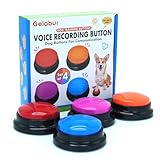
- Dog Communication Buttons: Our talking buttons for dogs make it easy for your pet to express their needs. Use these customizable, recordable buttons to teach your dog to say "Outside," "Treat," or any command you prefer
- Voice Recording Buttons for Classroom: These record buttons for classroom activities are a fun and interactive way to enhance student engagement. Students can record their voices and play them back, adding a dynamic learning experience
- Customizable Sound & Easy to Use: Each of these dog talk buttons allows you to record up to 30 seconds of sound, making them perfect for both dog training and classroom activities
- Dog Training Buttons That Talk: Ideal for pet owners looking to improve communication with their dogs. These training buttons for dogs offer a rewarding way to teach commands through sound association
- Durable & Safe Design: Made from pet-safe materials, these dog training buttons are durable enough to withstand repeated use by both dogs and children in classrooms
The practical distinction is the recording workflow: Speak Up buttons are recorded manually, while Connect buttons require the FluentPet app and Connect Base Speaker. If you want a button you can record immediately without a phone or base, select a manual model. If you want connected features and are comfortable maintaining the app-and-base setup, a Connect model may suit you.
How to choose buttons before you buy
Pick a word tied to a powerful routine
Choose an event your dog already anticipates: “outside,” “play,” “walk,” or another activity that reliably follows your action. Avoid abstract words and low-interest outcomes at the beginning. The first word should give your dog many clear opportunities to observe the same sequence.
Check activation effort and reach
Your dog should be able to press the button with a nose or paw without slipping, tipping the device, or straining. Large dogs may need a wider target; small dogs and dogs with mobility limitations may need a lower profile or a carefully supported surface. No independent activation comparison was established, so watch your own dog operate a sample if possible.
Decide whether you need a layout
Loose buttons are easy to move next to a door, toy basket, or feeding area. Tiles make a growing vocabulary easier to organize and retrieve, but they occupy more floor space. Plan a stable location before adding several concepts.
Match the sound workflow to your routine
Manual recording is quick and self-contained. App-and-base recording can be more organized but introduces a phone, base speaker, and connection steps. Ask who will add or replace recordings and whether that person will reliably keep the system charged and updated.
Budget for accessories, not just buttons
A stable mat or floor surface can prevent buttons from sliding. The American Kennel Club article on teaching dogs with buttons describes foam floor tiles and hook-and-loop strips as optional ways one owner stabilized buttons. Treat these as setup aids, not required components or proof that a particular kit is superior.
Also popular on Amazon

- 【30 Second Clear Recording-Teach Your Dog to Communicate More Clearly】.Wish your dog could tell you when they need to go outside, want water, or are ready to play? Record your own voice with up to 30 seconds of clear playback and help your dog express everyday needs through consistent communication training. Every successful press builds confidence, understanding, and a stronger bond.
- 【Interactivity】By recording simple words or sentences such as "want to play", "want to eat", "want to drink", "daddy ", "mum", or any other word you want to say. Lead your pet to interact with you. Or have a snatch-and-grab game with a friend. The record button provides more fun in your life.
- 【Easy To Use】Never trained with communication buttons before? No problem. Simply press REC, record your word, and reward your dog for every successful press. The intuitive design makes it easy for first-time dog owners to start training with positive reinforcement and build lasting habits step by step.
- 【8 Color Buttons Make Learning Easier】Why settle for only a few commands? This 8-button communication set gives your dog plenty of room to build a growing vocabulary. Assign different words like Outside, Food, Water, Walk, Play, Treat, Bed, and more. Bright colors make each command easy to recognize while keeping training organized and engaging.Note: This product is not recommended for children under 12 years of age.
- 【A Fun Gifts】This button offers a lot of unexpected entertainment and interaction. This includes interaction with family or colleagues in snatch and grab games, pranks between friends, communication training with pets, and much more. Provides lots of very creative communication and interaction. Also makes a creative birthday/holiday gift to make unforgettable memories!
Verify availability and price at checkout
Prices and configurations change, and the available material does not establish a current price claim. Check the retailer serving your country, the exact model generation, included tiles or bases, warranty terms, and shipping before purchase.
How to teach your dog to use a button
Use the same sequence every time: press, say the word, then perform the associated activity. The American Kennel Club’s guidance emphasizes modeling the button and responding consistently, while warning that rushing can produce button pushing without a reliable association.
- Choose one concept. “Outside” is a practical example because the outcome can follow immediately and repeatedly.
- Record a short, clear word. Use the same word and similar pronunciation each time. Avoid long sentences or changing labels.
- Place the button on the route. Put “outside” near the door you use, where your dog naturally passes but cannot chew it unattended.
- Model before the activity. Press the button, say “outside,” and open the door or begin the usual outing. Your dog can watch without being physically guided to press.
- Repeat at ordinary opportunities. Model the sound before several genuine outings rather than creating constant artificial repetitions.
- Allow investigation. Let your dog sniff, nudge, or step near the button. Do not force a paw press or move the dog’s limb onto it.
- Respond consistently to an intentional-looking press. Look at the context, then provide the associated activity when it is safe and practical. If the timing is wrong, acknowledge the dog and redirect rather than turning every accidental tap into a full reward.
- Wait before adding vocabulary. Add another word only after your dog has had time to experience the first sound in its routine. Introduce the new word with the same press–say–do pattern.
Keep sessions calm and short. The goal is a dependable association, not a performance in which the dog is prompted repeatedly until a button moves.
How long will it take to teach a dog?
There is no evidence-based guaranteed timeline. Dogs differ in motivation, coordination, hearing, prior learning, and how consistently people model the sound. Some may investigate quickly; others may need many ordinary repetitions before the button has practical value.
Measure progress by observable behavior rather than a deadline:
- Your dog notices the button in the relevant location.
- The dog approaches or activates it without a physical prompt.
- Presses occur near the associated routine rather than randomly across the day.
- The dog’s behavior after the press fits the recorded word, such as moving toward the door after “outside.”
- The response remains similar when a different household member models or hears the word.
These signs indicate a strengthening association, not proof of human-like language. If progress stalls, simplify the setup and return to one highly motivating routine.
Recommended Free Tools
Also popular on Amazon

- 【Easy To Use】Press the 'REC' button and start recording when you hear a beeping sound. Release the 'REC' button when recording is complete and hear 2 beeps to signify the end of recording. Press the button to hear your recorded sound.
- 【30 Second Clear Recording】The Record button allows you to record up to 30 seconds of clear sound. You record other sounds or sound effects. The sound is clear. At the same time you can repeat the different sounds recorded. And it's very portable with its small size. Perfect for families to get together and play games when they go out on picnics and outings.
- 【A Fun Gifts】This button offers a lot of unexpected entertainment and interaction. This includes interaction with family or colleagues in snatch and grab games, pranks between friends, communication training with pets, and much more. Provides lots of very creative communication and interaction. Also makes a creative birthday/holiday gift to make unforgettable memories!
- 【Interactivity】By recording simple words or sentences such as "want to play", "want to eat", "want to drink", "daddy ", "mum", or any other word you want to say. Lead your pet to interact with you. Or have a snatch-and-grab game with a friend. The record button provides more fun in your life.
- 【Package Include】Includes 4 colors of buttons, Red/Blue/Rose/Orange. (Note: batteries not included)
How to interpret presses without overclaiming
Context is more informative than the press alone
Observe what happened before and after the press. A dog standing at the door, pressing “outside,” and then waiting by the exit provides a clearer pattern than a dog racing across several buttons during an excited play session. Keep a brief log for a week if the household is unsure whether a word is being used consistently.
Do not reward every accidental tap
Buttons can be activated by paws, toys, running, or exploratory nudges. If every contact produces the full activity, your dog may learn that pushing anything is an efficient way to obtain attention. Respond to the situation, not just the sound: check location, body language, time of day, and whether the requested activity is safe.
Separate trained behavior from demonstrated comprehension
A dog can learn that touching a target earns a consequence without understanding the recorded word. Consistent modeling, meaningful context, and responses that match the routine make the association more credible; they do not turn a button press into a guaranteed translation of an internal sentence.
Safety: prevent chewing, broken parts, and battery ingestion
Sound buttons can break apart if chewed. FluentPet warns that broken plastic may create sharp pieces or expose batteries and advises against leaving a learner unsupervised with buttons when ingestion is a risk. Store buttons out of reach between supervised practice sessions for dogs that mouth objects, destroy toys, or guard them.
- Inspect the casing, seams, battery compartment, and fasteners before each session.
- Remove a button immediately if it cracks, opens, or exposes internal parts.
- Keep loose batteries and replacement parts secured away from pets and children.
- Use a stable surface that will not slide into the dog’s legs or become a chew target.
- If a button, plastic part, or battery is swallowed, contact a veterinarian or animal hospital immediately, as the manufacturer advises.
Do not attach a button to a collar or harness unless the device is specifically designed and tested for that use. A loose, supervised floor or wall location is easier to inspect and replace.
Independent reader supportYour contribution helps us test, update, and keep practical guides available for everyone.Troubleshooting common problems
My dog ignores the button
Move it closer to the relevant route, choose a more motivating routine, and model it immediately before the activity. Check that the sound is audible and the switch activates with reasonable pressure. Do not push your dog’s paw onto the button; that can create a mechanical trick without understanding.
Also popular on Amazon

- 【30 Second Clear Recording】The Record button allows you to record up to 30 seconds of clear sound. You record other sounds or sound effects. The sound is clear. At the same time you can repeat the different sounds recorded. And it's very portable with its small size. Perfect for families to get together and play games when they go out on picnics and outings. Very practical and fun!
- 【Interactivity】By recording simple words or sentences such as "want to play", "want to eat", "want to drink", "daddy ", "mum", or any other word you want to say. Lead your pet to interact with you. Or have a snatch-and-grab game with a friend. The record button provides more fun in your life.
- 【Easy To Use】Press the 'REC' button and start recording when you hear a beeping sound. Release the 'REC' button when recording is complete and hear 2 beeps to signify the end of recording. Press the button to hear your recorded sound.
- 【A Fun Gifts】This button offers a lot of unexpected entertainment and interaction. This includes interaction with family or colleagues in snatch and grab games, pranks between friends, communication training with pets, and much more. Provides lots of very creative communication and interaction. Also makes a creative birthday/holiday gift to make unforgettable memories!
- 【Package Include】Includes 10 colors of buttons, rose, purple, pink, light green, orange, white, blue, red, yellow and coffee. (Note: batteries not included)
My dog presses constantly
Reduce the board to one or two buttons, increase supervision, and stop automatic delivery of the activity after every random contact. Wait for a press that occurs in a meaningful context, then respond when appropriate. Excessive pressing can reflect exploration, attention seeking, or an easy-to-trigger switch rather than a large vocabulary.
Different family members use different words
Agree on one recording and one spoken label for each concept. If “outside,” “potty,” and “yard” all refer to the same door routine, select one starter word until the association is established. Consistency makes the sound easier to interpret.
Do these 3 things before closing this tab:
1Repair Windows errors before they cause bigger problems2Fix the driver behind crashes, sound loss and screen glitches3Clear out junk files and repair common Windows errorsThe button slides or disappears
Use a non-slip base, foam floor tile, or hook-and-loop strip, then test that the button still releases safely and can be removed for inspection. Keep the layout stable while teaching; frequent rearrangement makes location part of the confusion.
The app or connected base will not record
Confirm that you are using the correct product generation, that the Connect Base Speaker is present for Connect recording, and that the app is paired according to the manufacturer’s current instructions. Speak Up and Connect workflows are not interchangeable, and legacy Basic models may follow different directions.
A practical starter plan
For a first month, keep the system deliberately small:
- Week 1: Select one high-value word, record it, place it by the related activity, and model it before every natural opportunity.
- Week 2: Continue the same routine and note whether your dog approaches or presses without a physical prompt.
- Week 3: If presses occur in the right context, add one second word tied to a distinct activity, such as play.
- Week 4: Review the context of presses, remove accidental or unsafe placements, and keep only words your household can model and honor consistently.
This conservative approach protects the meaning of each button and reduces the temptation to interpret a rapidly expanding board as proof of unrestricted conversation.
What to expect from claims about enrichment and communication
Buttons can add an enriching choice-making exercise for some dogs, especially when the activity is motivating and the dog can activate the switch comfortably. However, the available evidence does not guarantee reduced anxiety, less destructive behavior, faster training, or improved welfare for every dog. Evaluate the setup by your dog’s comfort, safety, and observable routine-based communication.
The strongest defensible outcome is narrower: a dog may learn that a particular recorded sound predicts a particular outcome and may respond to that sound in an appropriate context. That is a worthwhile training result without requiring a claim that the dog is speaking.




Leave a Reply