What’s actually slowing this PC down?
Pick the symptom - the matching free tool is one click away.
To file a pet insurance claim, follow your insurer’s instructions, submit an itemized veterinary invoice and any required medical records, and include proof of payment and signed forms when requested. Save the submission confirmation, meet the policy’s deadline, and respond quickly if the insurer asks for more information. Requirements and timelines vary by insurer, so use your own policy and claims guidance—not another company’s rules—as your checklist.
1. Check your policy and filing instructions
Before submitting, confirm that the treatment may be covered, how your deductible and reimbursement terms apply, and which submission channel and documents your insurer requires. Check the filing deadline and any waiting periods or exclusions. A complete claim can still be ineligible if the treatment falls outside the policy’s coverage or took place during a waiting period.


Insurers do not all handle forms the same way. Desjardins describes submitting a completed, signed form, while MetLife says its form may help but is not required to move forward. ASPCA says claims submitted through its app or Member Center do not need a separate claim form. Follow your insurer’s specific digital workflow and form instructions: Desjardins, MetLife Pet, and ASPCA Pet Health Insurance.
2. Gather the right documents
Itemized invoice and proof of payment
Get an itemized invoice that breaks down the veterinary charges, along with a receipt or other proof that you paid. Pets Best says it requires original paid invoices and proof of payment; it does not accept estimates or unpaid invoices as proof of payment. Its claims guidance warns that leaving out an invoice, payment proof, or a required signature can delay processing: Pets Best claims guidance.
#1 Best Overall
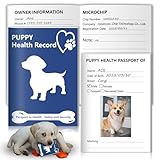
- Product Include:When you choose our dog vaccines records tracker, you'll receive one notebook.This 12-page puppy health journal has 8 dedicated pages for tracking your pup’s health, vet visits, and key details, with 4 blank pages at the end for jotting down extra notes, pet-related info, or anything else you want to record.
- Ideal Size for Record Keeping:Each dog vaccine record book measures 5x3.5 inches folded; 5x7 inches unfolded, allowing for easy portability and storage.These handy health records notebook for dogs with double sided printing, featuring enough space for all your pets important information,plus, it has dedicated spots for sticking on vaccine stickers and adding cute puppy photos.They offer a stylish and organized approach to pet health documentation, a must have addition to your pet supplies.
- Premium Quality: The puppy health record tracker’s cover features 300gsm coated paper with vibrant full-color printing and a protective laminate finish. Inside, 100gsm high-quality offset paper pages are durable and ink-resistant, ensuring no bleeding from pens or markers—so your records stay neat and easy to read.
- Effortlessly Track Vaccinations and More:The canine health record booklets pages include:owner and puppy information,medical history and hospitalizations,vaccination record and sticker,dog service providers,fecal examinations and de-worming,heartworm screening, prevention and treatment etc.This record keeping tool will ensure every important detail is accounted for and make this task easy, organized, and straightforward.Add this essential tool to your pet supplies for a happier, healthier pet.
- Essential for Pet Owners:Designed for veterinary clinics and pet owners, these puppy vaccination record books make tracking key health details—like shots, checkups—simple and organized. When you’re away and leave your pup with a sitter or family, the dog medical record and vaccine book serves as a quick reference for their medical history. Plus, dedicated sections for photos, physical markings, and ID info prepare you for emergencies, helping you recover your friend quickly if they get lost.
Veterinary medical records
An invoice shows what you were charged; it does not necessarily provide the clinical detail the insurer needs. If requested, ask the clinic for the medical record, such as SOAP notes or chart notes. MetLife distinguishes these records from a brief visit summary and lists an itemized invoice and SOAP/chart notes among its claim documents: MetLife Pet customer support.
Records for a first claim
Check whether your first claim requires records from before the policy began or records from when you adopted your pet. MetLife says its first-claim instructions require the last 12 months of veterinary records or adoption records, if applicable. That is MetLife’s requirement, not a universal rule; verify what your own insurer requests: MetLife Pet customer support and MetLife Pet claims.
Rank #2

- All-in-one pet care tracking: vaccinations, vet visits, medical exams, medications and more
- Easy access to pet’s health info: stay organized and on top of your pet's health
- Ample writing space: never run out of space; designed to last entire life of pet
- High-quality materials: durable and elegant design for long-lasting use
- Portable size: convenient A5 size, perfect for on-the-go; practical for vet visits and storage
3. Submit through the insurer’s stated channel
Use the app or customer portal if your insurer offers one, or submit by the email, fax, or mail route the insurer specifies. Complete every required form section and sign it where needed. Attach the invoice, proof of payment, and clinical records requested for your claim. Do not assume that uploading a bill alone completes the process, or that every insurer requires a separate form.
Before sending, check that the files are readable and belong to the correct pet and visit. If you are mailing documents, keep copies. If you submit digitally, save the uploaded files and confirmation screen or email.
4. Meet the deadline and keep a record
Submit promptly and confirm the deadline in your policy or claim instructions. MetLife says claims must be submitted within 90 days of treatment under its guidance; that deadline should not be applied to other insurers: MetLife Pet customer support.
Keep a copy of the complete submission, the confirmation, and any claim reference number. These records make it easier to verify what the insurer received if a document is later reported missing.
Independent reader supportYour contribution helps us test, update, and keep practical guides available for everyone.5. Track the claim and answer requests quickly
Check the claim status using the insurer’s portal or the contact method it provides. If the insurer requests additional records or clarification, respond as soon as you can. Missing clinical notes, proof of payment, an itemized invoice, or a required signature can interrupt review while the insurer waits for the missing information.
Published processing estimates are company-specific and depend on the claim being complete. Desjardins says most claims are processed within 5 to 10 business days after receipt, with complex claims or claims involving multiple conditions sometimes taking longer. MetLife says most claims are processed within five days when all required documentation is supplied upfront, and notes that requests for more information can delay reimbursement. These are each insurer’s estimates, not a general industry timeline: Desjardins claims page and MetLife Pet FAQs.
Recommended Free Tools
For reimbursement delivery, Desjardins says direct deposit can avoid postal delays. Check whether your insurer offers it and what steps are needed to set it up: Desjardins claims page.
6. If the insurer denies the claim
Read the decision and compare its stated reason with your policy. Ask the insurer what information supports the decision and how to submit an appeal. Follow the appeal deadline in the decision letter and policy. MetLife’s claims guide says an official written appeal may be submitted within 90 days of receiving the initial claim decision; this is MetLife guidance, not a universal appeal period: MetLife Pet claims guide.
Quick Recap
Quick checklist before you submit
- Confirm the policy’s coverage terms, waiting periods, filing deadline, and submission method.
- Attach an itemized invoice and proof of payment.
- Include veterinary medical records or first-claim records if required.
- Complete and sign any required form, unless the insurer’s digital process says no separate form is needed.
- Save copies, confirmation, and the claim reference number.
- Monitor claim status and respond promptly to document requests.
Product prices and availability are accurate as of the date/time indicated and are subject to change. Any price and availability information displayed on Amazon at the time of purchase will apply.




