To set up a PetSafe PIF-300 wireless fence, confirm the model, place its transmitter indoors at the center of the planned circular pet area, configure the range using the matching manual, and verify the boundary with the collar and test light. Then place the training flags and follow the manual’s gradual, supervised training instructions; plugging in the transmitter alone does not establish a verified boundary.
Check the label on your transmitter before starting. PetSafe also sells separate Stay & Play systems with different coverage and collar configurations, so do not use PIF-300 instructions for another model.
What to check before setting up a PIF-300
Confirm that your hardware is the PetSafe Wireless Pet Containment System, model PIF-300, and get the manual that matches it. PetSafe’s U.S. product page says the PIF-300 is for dogs at least six months old and weighing at least eight pounds. PetSafe also says puppies should consistently respond to basic commands such as “come” and “sit” before training with static correction. Check the product information for your exact model rather than applying these eligibility details to another system.
The PIF-300 creates a circular boundary, not an in-ground wire perimeter. PetSafe’s product page advertises coverage of up to one-half acre for this model; that is a manufacturer specification, not a guarantee that every yard or boundary setting will have that coverage. A circle may include a road or neighboring property, or fail to cover an irregular lot.
Quick wins for a faster PC:
Scan for outdated or missing drivers - takes under a minuteDriver Scan →Clear out junk files and repair common Windows errorsFree Scan →#1 Best Overall

- For Persistent Pets: Great for the most hard-to-train pets a tone-only mode and 5 levels of static correction adjust based on how your dog responds during training
- Protect A 3/4-Acre Yard: Create a circular boundary that adjusts up to 3/4-acre (22 5 -105 ft in all directions) from where you place the transmitter indoors
- No Digging Or Wire to Bury: Sets up in just a few hours; a wireless boundary allows you to create a secure barrier around your yard to protect your pets without the time or hassle of burying wires
- Most Accurate Wireless Fence: Our proprietary circular boundary gently guides your dog back to the play area
- Portable: This portable system is terrific for camping, vacation homes, or anywhere you travel with access to an outlet
| System | Advertised coverage and shape | Collar power | Important distinction |
|---|---|---|---|
| Wireless Pet Containment System PIF-300 | Up to one-half acre; circular boundary | Replaceable battery | Use the PIF-300 manual and compatible parts. |
| Stay & Play wireless systems | Up to three-quarters of an acre on the cited product pages; circular boundary | Varies: rechargeable or replaceable-battery collar, depending on system | Separate systems with their own manuals and compatible accessories. |
Coverage and collar details in this table are manufacturer product-page claims, not independent comparative tests. PetSafe’s product page estimates PIF-300 setup at one to two hours; that is a manufacturer estimate for equipment setup, not a measure of how long your pet will take to learn the boundary.
Where should you put the PIF-300 transmitter?
Place the transmitter indoors at the exact center of the intended pet area. The PIF-300-21 Operating and Training Guide says to install it on the ground floor at least two feet above the floor, in a dry, well-ventilated, protected area. PetSafe’s product page specifies a climate-controlled indoor location, with a temperature range from −10°F to 104°F.
Rank #2
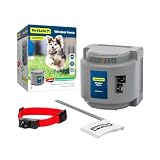
- 1/2 Acre Of Circular Coverage: The adjustable circular range can cover up to 1/2 acres from the placement of the portable indoor transmitter, and can be expanded further with purchase of an additional transmitter
- Most Accurate Wireless Fence: Our proprietary circular boundary gently guides your dog back to the play area
- No Digging Or Wire to Bury: Sets up in just a few hours; a wireless boundary allows you to create a secure barrier around your yard to protect your pets without the time or hassle of burying wires
- Static-Free Reentry: Unlike traditional in-ground fences, this wireless fence allows your pet to return home without being corrected if your pet passes the boundary
- Trust The Best: Awarded best wireless dog fence overall by Forbes, our proprietary circular boundary gently guides your dog back to his play area
- Keep the transmitter at least three feet from large metal objects, which can reduce or distort the pet area.
- Keep it uncovered and follow the placement directions in the manual for your unit.
- Plan the circle so the intended pet area stays within your property and away from hazards.
- Do not place the transmitter outside; PetSafe specifies an indoor location for the PIF-300.
PetSafe states that its wireless fence systems are circular and cannot be changed into a square or rectangle. If a circular boundary cannot safely contain the area you need, consider a different containment option.
How to set up and test the PIF-300
- Prepare the collar. Use the PIF-300 guide to install the supplied contact points and the RFA-67 battery. Turn the collar off the pet before installing or changing the battery. Choose contact points appropriate for the pet’s coat, tighten them with the supplied tool as directed, and check their tightness weekly.
- Set an initial range. Use the manual’s boundary switch, dial, and range chart for the area you want to contain. For the largest PIF-300 area, its guide says to set the switch to High and the boundary dial to 8; use the chart and test procedure to adjust for your intended area.
- Prepare the test light. Follow the guide’s instructions for attaching the test light to the collar contact points. For this test, the PIF-300 guide instructs users to set static stimulation to level 2 or greater.
- Approach the planned edge. Hold the collar at pet-neck height with its logo facing away from the transmitter. Walk toward the intended boundary using the guide’s test procedure. The test light flashes when the collar reaches the boundary.
- Adjust and retest if needed. If the boundary activates too early or too late, return to the transmitter, adjust the dial as directed by the range chart, and repeat the test before placing flags.
- Mark the verified boundary. When the collar beeps and the test light flashes at the desired edge, place a flag. Walk inward until the beep stops, then repeat around the intended boundary as described in the guide.
- Train with the flags in place. Keep the flags visible during introductory training and follow the PIF-300 guide’s staged, supervised directions. Use positive reinforcement and do not assume the pet understands the boundary simply because the transmitter is on.
The collar’s position and orientation matter during boundary testing. Use the manual’s procedure rather than testing with the collar held in a different orientation or borrowing test settings from another PetSafe model.
Rank #3

- No Digging Or Wire to Bury: Sets up in just a few hours; a wireless boundary allows you to create a secure barrier around your yard to protect your pets without the time or hassle of burying wires
- 3/4 Acre Of Circular Coverage: Adjust the circular boundary range up to 3/4-acre (22-105 ft in all directions) from the placement of the indoor transmitter
- Most Accurate Wireless Fence: Our proprietary circular boundary gently guides your dog back to the play area
- Trust The Best: Our proprietary circular boundary gently guides your dog back to his play area
- Lcd Display: An easy to read display shows you how far your pet’s play area expands; the screen also has warning indicators to let you know if there is an error with the wireless fence system
What comes with the PIF-300, and what replacements fit?
Use the parts and tools identified in the PIF-300 packaging and matching guide, including its receiver collar, test light, contact points, and RFA-67 battery. For replacements, check compatibility with the PIF-300 specifically. A battery, collar, or flag set for a Stay & Play system is not automatically compatible.
How to train your pet after installation
Installation and training are separate tasks. Supervise your pet and follow the PIF-300 Operating and Training Guide’s staged training directions, keeping sessions positive and gradual. Do not leave a pet to rely on the system immediately after installation or treat a single warning or correction as proof of reliable boundary training.
Rank #4

- For Persistent Pets: Great for the most hard-to-train pets a tone-only mode and 5 levels of static correction adjust based on how your dog responds during training
- Multi-Pet System: Kit includes two collars and boundary flags to get started with your new system. Additional Add-A-Dog collars can be purchased separately.
- Protect A 3/4-Acre Yard: Create a circular boundary that adjusts up to 3/4-acre (22 5 -105 ft in all directions) from where you place the transmitter indoors
- No Digging Or Wire to Bury: Sets up in just a few hours; a wireless boundary allows you to create a secure barrier around your yard to protect your pets without the time or hassle of burying wires
- Most Accurate Wireless Fence: Our proprietary circular boundary gently guides your dog back to the play area
If your pet is distressed or does not respond consistently, pause and follow the guide’s training advice before progressing. Do not increase freedom or change correction settings as a substitute for supervised training.
Independent reader supportYour contribution helps us test, update, and keep practical guides available for everyone.Frequently Asked Questions
Can I use the PIF-300 with any PetSafe wireless collar?
No. PetSafe sells separate wireless systems with different collar configurations. Check the model label and its manual to confirm that a collar or replacement part is compatible with your PIF-300.
The Tool Desk
Outbyte PC Repair FREEClear out junk files and repair common Windows errorsFree Scan →Outbyte Driver Updater FREEScan for outdated or missing drivers - takes under a minuteDriver Scan →Best Value

- Safest GPS Dog Fence: Guardian’s AccuGuard tech blends GPS satellite data, real-time motion detection and AI for advanced protection no other GPS dog fence can offer
- New, Innovative Collar Design: Redesigned collar is slim, lightweight and boasts up to 5 days of battery life on a single charge
- No Subscription Fee: No tracking or portability means no subscriptions or fees; if you'd prefer a portable fence with tracking features, check out Guardian GPS + Tracking
- Easy Installation and Setup: Install in as little as 1 hour and design your wireless dog fence from the comfort of your couch in the My PetSafe app (for properties 3/4 acres or larger)
- Choose Between Tone and Vibration Or Static: Rechargeable, waterproof collar lets you choose between tone and vibration or 10 levels of static
Can the PIF-300 boundary follow a square or rectangular property line?
No. The PIF-300 creates a circular boundary. PetSafe says its wireless fence systems cannot be changed into a square or rectangle, so assess whether the circle safely fits your property before setup.
Can I put the PIF-300 transmitter outside?
No. PetSafe specifies an indoor, climate-controlled location for the PIF-300 transmitter. Follow the manual’s placement guidance, including clearance from large metal objects.
How much area does the PIF-300 cover?
PetSafe advertises up to one-half acre for the PIF-300 in a circular boundary. This is the manufacturer’s stated maximum coverage, not a guarantee for every yard or setting.
How long does PIF-300 setup take?
PetSafe estimates one to two hours for setup. That manufacturer estimate refers to equipment setup; your pet’s training is a separate process and should follow the matching guide.
Recommended Free Tools
Quick Recap
Product prices and availability are accurate as of the date/time indicated and are subject to change. Any price and availability information displayed on Amazon at the time of purchase will apply.




