
What’s actually slowing this PC down?
Pick the symptom - the matching free tool is one click away.
Some links on this page are affiliate links: if you buy through them we may earn a commission, at no extra cost to you.
Start at about 1/250 second for a posed or gently moving dog and move toward 1/500 second or faster for active play, running, jumping, or a dog moving toward you. Use continuous autofocus with animal or eye detection when your camera supports it; otherwise place a focus point on the eye nearest the camera. Indoors, protect your shutter speed by opening the aperture, raising ISO or enabling Auto ISO, and adding soft bounced light when necessary. Outdoors, adjust for the dog’s movement, shade, backlight and coat tone rather than relying on one preset.
Those are starting points, not universal rules. The right exposure depends on motion, light, focal length, camera capability, desired depth of field and how much noise you will accept.
As an Amazon Associate I earn from qualifying purchases.
Quick wins for a faster PC:
Fix the driver behind crashes, sound loss and screen glitchesFind Drivers →Repair Windows errors before they cause bigger problemsFix Now →Scan for outdated or missing drivers - takes under a minuteDriver Scan →Quick-start settings for common dog-photo situations
Choose the row closest to your scene, make a test frame, then adjust while watching the dog’s eyes and the histogram or highlight warning.
| Situation | Starting setup | Change when needed |
|---|---|---|
| Posed indoor portrait | Aperture priority or manual exposure; about 1/250 s; focus on the nearer eye | Open the aperture in low light or for background blur; raise ISO if the shutter falls too low |
| Active dog indoors | Continuous AF, animal detection or tracking, Auto ISO and at least 1/500 s on a capable Nikon Z 7/Z 6 setup | Add light, use a faster lens or accept more ISO noise if the image is underexposed |
| Outdoor portrait | Eye-focused autofocus; choose aperture for the desired depth of field | Use exposure compensation for very light or dark coats; alter shutter speed if the dog starts moving |
| Running or jumping outdoors | Continuous or Servo AF, animal detection or tracking, and a faster shutter than a still portrait | Use a restricted focus area when grass, branches or other objects may steal focus |
| Several dogs together | Stop down enough to cover their eyes within the depth of field and place them at similar distances | Move back, increase light or raise ISO rather than leaving one dog’s eyes soft |
Nikon’s D5600 pet example uses 1/250–1/500 s and f/1.8 as an illustration. Nikon Professional Services recommends a 1/500-second minimum for active dogs or cats on the specified Z 7/Z 6 configuration. These figures describe particular camera guidance, not guarantees for every dog or lens.
Popular on Amazon

- 50 millimeter focal length and maximum aperture of f/1.8
- Great for portraits, action, and nighttime photography; Angle of view (horizontal, vertical, diagonal): 40º, 27º,46º
- Minimum focusing distance of 1.15 feet (0.35 meter) and a maximum magnification of 0.21x
- Stepping motor (STM) delivers near silent, continuous move Servo AF for movies and smooth AF for stills
- 80 millimetre effective focal length on APS C cameras, 50 millimetre on full frame cameras. Lens construction: 6 elements in 5 groups
Set shutter speed for the dog’s movement
Posed and gently moving dogs
A sitting dog that is watching you usually needs less shutter speed than a dog shaking, turning its head or walking. Begin around 1/250 s. If the dog is calm and your lens is stabilized, you may be able to go slower, but subject movement can still blur the eyes even when the camera is steady.
Running, jumping and approaching the camera
Raise the shutter toward 1/500 s or faster for play, sprinting, jumping and movement toward you. A dog running across the frame may be easier to freeze than one charging directly at the camera because the apparent movement across the focus plane is different. Fast legs, flying ears and a vigorous head shake can require more than 1/500 s.
Outdated Drivers Are Slowing You Down
One free scan finds every outdated or missing driver and matches the right update for your exact hardware.Free scan · exact hardware matchWindows Errors? Fix Them Before They Spread
Repair common Windows errors and clear accumulated junk for a smoother, more stable PC - no reinstall needed.Free scan · no reinstallUse the shutter as your first diagnostic
If the dog’s face is blurred while the background is sharp, the shutter is probably too slow for the subject. Increase it before changing focus settings. If the frame is sharp but too dark, compensate with a wider aperture, higher ISO, more light or a slower speed only if the dog has become still.
Choose autofocus that follows the dog
Moving dogs: continuous AF and subject detection
Set continuous autofocus (called Servo AF or a similar name on some cameras) when the dog is walking, running or playing. If available, enable animal subject detection and eye detection, then use subject tracking or an auto-area mode that can hand the focus point from frame to frame.
Also popular on Amazon

- Compact, Lightweight Fixed 50 millimeter Focal Length Lens.
- Large F, 1.8 Aperture for Low-Light Photography and Creative Background Blur
- A Stepping Motor (Gear-Type STM) Provides Smooth and Quiet Continuous AF During Video Recording, As Well As When Shooting Photos
- Control Ring for Direct Setting Changes
- Optimized Lens Placement and Coatings Help Deliver Outstanding Color Balance, While Minimizing Ghosting and Flare
Nikon’s guidance for compatible Z-series cameras combines Continuous AF, Auto-area AF and animal detection for portraits and recommends tracking for pets moving at a dog park or chasing a toy. Canon’s EOS R1 action guidance combines Servo AF, animal detection, automatic eye detection and a flexible-zone or one-point area for significant movement. Menu names, detection species and tracking behavior vary by camera model.
Still portraits: select the nearer eye
For a motionless portrait on a camera without dependable eye detection, use single autofocus and place the focus point over the eye closest to the camera. The nearer eye is the visual anchor; if it is sharp, a slightly softer far eye can still look natural. Recompose only when there is enough depth of field to tolerate the focus shift.
Free tools Windows power users keep installed
One-click scans. No signup required.
When eye detection misses
Detection is not infallible. It can fail when the dog’s face is very small or extremely close in the frame, when light is poor, when fur obscures the eyes, when eye and fur contrast is low, or when the dog moves too rapidly. If the box jumps to the chest or background:
- Touch the face or eye on the camera’s screen if touch focus is available.
- Select a point near the face or nearest eye manually.
- Switch to subject tracking and start it on the dog’s body.
- Move closer or farther away so the face occupies a clearer portion of the frame.
- Add light or change position to improve contrast around the eyes.
Review magnified frames during a pause. A detection box over the face is not proof that the eyelashes or iris are sharp.
Also popular on Amazon
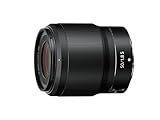
- Fast 50mm prime for Z Mirrorless cameras
- Uncanny f/1.8 performance, extreme sharpness and virtually zero distortion
- New ultra-quiet stepping motor for silent focusing
- Beautiful bokeh and superior Low-light performance
- 5-Axis Dual detect optical VR powered by Z cameras
Indoors: balance speed, aperture, ISO and light
Why indoor settings are difficult
Indoor rooms often do not provide enough light for a fast action shutter. Raising shutter speed reduces the light reaching the sensor, so the camera must open the aperture, raise ISO or use additional light. A brighter exposure that contains some ISO grain is usually more useful than a clean but motion-blurred dog.
Use aperture priority with a shutter floor
For changing indoor light, aperture priority with Auto ISO can be practical. Set the aperture you need for depth of field and configure a minimum shutter speed if your camera offers that control. Nikon’s active-pet guidance for the specified Z 7/Z 6 cameras calls for aperture priority, Auto ISO and a 1/500-second minimum. Watch the resulting ISO and dark areas; high ISO can introduce visible noise.
Open the lens when you need light or separation
A low f-number admits more light and can soften a cluttered background. Nikon’s pet examples use a fast 50 mm f/1.8-type prime as an indoor option. A fast prime is not required for sharp dog photos, and the lens must match your camera mount. At a wide aperture, the depth of field becomes thin: an eye can be sharp while the nose or second eye is noticeably softer. Confirm focus at the final framing.
Add light without frightening the dog
In a very dark room, add ambient lamps or window light where possible. A compatible shoe-mounted or off-camera flash can be bounced from a light-colored ceiling or wall to create softer illumination. Do not aim a flash directly into the dog’s eyes. Check whether flash is allowed in the location, introduce it gradually and stop if the dog shows stress.
Also popular on Amazon
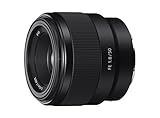
- Large F1. 8 maximum aperture enables beautiful defocusing effects
- 7-blade circular aperture creates beautiful defocused bokeh
- Compact, lightweight design Ideal for full-frame e-mount cameras
- Aspherical element controls spherical aberration and coma
- Double-gauss configuration suppresses field curvature & distortion
Bounce surfaces and ceiling height affect the result. A dark or high ceiling absorbs light, while a pale nearby wall can return a softer, brighter source. Keep enough shutter speed for movement even when flash is used; a flash does not automatically eliminate ambient-motion blur.
Outdoors: adapt to daylight, shade and action
Bright sun
Daylight gives you more exposure headroom for a fast shutter. Keep continuous autofocus active for movement and select an aperture that provides enough depth of field for the dog’s face. If the dog is merely posing, you can spend that extra light on a smaller aperture or lower ISO.
The Tool Desk
Outbyte Driver Updater FREEScan for outdated or missing drivers - takes under a minuteDriver Scan →Outbyte PC Repair FREERepair Windows errors before they cause bigger problemsFix Now →Shade and overcast weather
Open shade is flattering but darker than direct sun. If the shutter drops below what the dog’s movement needs, raise ISO or open the aperture. Check the eyes: a bright background can make the dog’s face look underexposed even when the overall meter appears correct.
Backlight and bright coats
With the sun behind the dog, expose for the face rather than the bright sky. Use exposure compensation while checking the preview and highlights. A white or sleek-furred dog can cause automatic metering to render the subject too dark; a dark dog against a bright background can produce the opposite problem. There is no universal compensation number because the background, coat and metering mode all change the result.
Also popular on Amazon
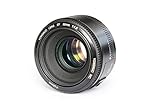
- F1.8 large aperture, virtual background, which makes photography with more fun.
- Support auto focus and manual focus mode, full-frame and APS-C format cameras, 5 groups 6 slices Lens structure
- It is equipped with focus distance indicator 0.45 meter, which is convenient for you to measure the shooting distance and depth of field, Multi-coated lenses,effectively improve the transmittance
- Supports M/AV/TV/P and other camera shooting modes, and can be displayed the aperture data in the EXIF Information
- Adopts gold plating for the metal contacts, effectively improve the signal conductivity and corrosion resistance
Foreground obstacles during action
Grass, branches and fences can cross the dog’s body as it runs. Canon’s EOS R1 guidance recommends a one-point AF area when obstruction is likely, while whole-area animal tracking can help when the dog is unobstructed and you need to keep framing. Use the narrower area when the camera repeatedly locks onto foreground objects.
Aperture and depth of field
One dog, soft background
A wide aperture such as f/1.8 can separate a dog from indoor clutter or an outdoor background. Keep the focus point on the nearer eye and take several frames because small head movements can move the eye outside the sharp zone.
Do these 3 things before closing this tab:
1Clear out junk files and repair common Windows errors2Fix the driver behind crashes, sound loss and screen glitches3Repair Windows errors before they cause bigger problemsMultiple dogs
Two dogs rarely hold their heads on exactly the same plane. Stop down enough to include both sets of eyes, arrange them at similar distances and move back if necessary. More depth of field may require higher ISO or additional light. A perfectly blurred background is less important than sharp eyes on every dog.
Focal length and working distance
Longer focal lengths can make background separation easier but magnify camera and subject movement. Wider lenses let you include more of the room or yard but may distort a face at very close distances. Choose a position that gives the dog space and keeps the camera stable, then set shutter speed for the dog rather than for focal length alone.
Independent reader supportYour contribution helps us test, update, and keep practical guides available for everyone.Practical workflows
Indoor portrait workflow
- Place the dog near a window or light-colored wall, away from a distracting background.
- Set aperture priority or manual exposure, begin around 1/250 s and choose the aperture that gives the desired background and depth of field.
- Use single AF on the nearer eye, or animal eye AF if it is reliable on your camera.
- Raise ISO or enable Auto ISO if the shutter falls below the dog’s movement requirement.
- Take a short burst when the dog looks toward you, then zoom in to verify eye sharpness.
Indoor play workflow
- Switch to continuous AF and animal detection or tracking.
- Set at least 1/500 s as a starting point for active play; use more for very fast movement.
- Enable Auto ISO or set an ISO range that keeps the exposure usable.
- Use the widest aperture that still keeps the dog’s important features sharp.
- Add bounced light or move to a brighter room if ISO becomes excessive or the frame is underexposed.
Outdoor running workflow
- Choose a clear route with predictable light and minimal foreground obstruction.
- Use Servo or continuous AF with animal eye detection or tracking.
- Begin at 1/500 s and increase it if paws, ears or the face remain blurred.
- Use a flexible zone or one-point area when grass or branches repeatedly attract focus.
- Prefocus or start tracking before the dog reaches the action area, then shoot short bursts while panning smoothly.
Diagnose common failures
| What you see | Likely cause | Adjustment |
|---|---|---|
| Body sharp, eyes blurred | Shutter too slow or focus placed behind the face | Raise shutter speed and move the focus point to the nearer eye |
| Background sharp, dog soft | Autofocus selected a branch, grass or furniture | Use a smaller focus area, touch focus or tracking started on the dog |
| Only one of two dogs is sharp | Depth of field is too thin or dogs are at different distances | Stop down, align their eyes or move back |
| Image is dark at a fast shutter | Room light is insufficient for the chosen aperture and ISO | Open the aperture, raise ISO, add bounced light or move to brighter light |
| White coat loses detail | Highlights are clipped or metering is influenced by a dark background | Check highlights, adjust exposure compensation and change angle if needed |
| Eye AF jumps away | Face too small, obscured, low contrast or moving too quickly | Reframe, improve light, select a point manually or use tracking |
Safety and comfort matter more than a perfect frame
- Never force a dog to remain in a frightening setup for a photograph.
- Keep flashes indirect and stop if the dog shows discomfort.
- Secure tripods, lights and cables so an excited dog cannot knock them over or become tangled.
- Use treats, toys and a helper outside the frame rather than repeatedly calling the dog into an unsafe position.
- At outdoor locations, check rules about flash, leashes and access before beginning.
Settings checklist before pressing the shutter
- Is the shutter fast enough for the dog’s current movement?
- Is continuous AF appropriate, or is the dog still enough for single AF?
- Is the focus point actually on the nearer eye or the detected eye?
- Will the selected aperture keep one dog’s eyes or several dogs within the depth of field?
- Is ISO high enough to preserve the shutter speed without making the image unacceptably noisy?
- Are shade, backlight or coat color misleading the meter?
- Is any foreground object likely to take focus?
- Is the lighting comfortable and safe for the dog?
The most dependable approach is to compare every scene on five axes: movement, available light, desired depth of field, autofocus capability and tolerance for noise versus motion blur. Changing one of those variables changes the best setting, which is why an indoor portrait and an outdoor sprint should never share a fixed preset.



Leave a Reply